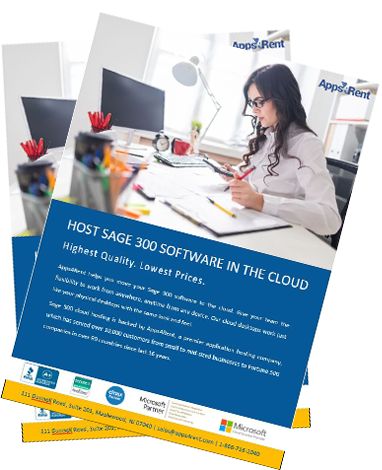
Sage 300 ERP Cloud Hosting - Fast, Secure & Affordable

Now with Super-Fast SSD Storage

Apps4Rent delivers Sage 300 hosting with fast SSD-backed infrastructure, allowing users to access their accounting and business management environment from virtually any device without the complexity of maintaining on-premises servers. Available with a bring-your-own-license (BYOL) model and plans starting at just $29.95 per month, our solution is ideal for businesses that need reliable access to Sage 300 across multiple locations and users.

Sage 300 ERP is a business management software used for accounting and other business operations such as distribution, warehousing, and manufacturing. It is one of the editions supported under our Sage hosting plans. It provides cash flow management, automated bank reconciliation, accounts receivable, inventory management, accounts payable, multi-currency, general ledger, and financial reporting. By hosting Sage 300 on Cloud Desktop, you can access it from any device and at any time. By hosting Sage 300 on our cloud desktop, you can access it from any device and at any time.

  • Multiuser Access
  • 99.9% Uptime Guarantee
  • 24/7/365 Expert Support
  • Super-Fast SSD Storage

$26.95*/month

Pricing Plans

User Friendly


Physical desktop-like
experience

Hosting Sage 300 on our cloud desktop will give you the same physical desktop-like experience. By giving our customers the choice of a cloud desktop with Windows 10 or 11, we distinguish ourselves from the competitors.

Accessible anywhere on
all devices

You can access Sage 300 from your home, workplace, or even while you are on the go. Additionally, it can be accessed on Mac, PC, Chromebooks, Linux, Android, and iOS devices. You can manage your accounts from any location with a cloud hosted desktop.

Supports all
local devices

With our cloud desktops, we provide you with the freedom to instantly connect your printer to Sage 300 as well as other external devices like scanners, storage, and multiple displays, enabling you to print invoices and receipts from any location.


Safe, Secure, Reliable


99.9% uptime
guarantee

Whenever you need Sage 300 you can access it on our cloud desktop. We match the industry standard service level by providing our services at 99.9% uptime, the same service level guaranteed by Microsoft for Office 365.

Daily incremental data
backup

Your vital data is backed up daily on our SSD storage to avoid any data loss, a task that small firms ordinarily neglect on their own, leaving them exposed in the event of a hardware or software failure.

Windows Defender and firewall protection

To safeguard customer data from hackers, malware, ransomware, and viruses, we use Windows Defender, a top-of-the-line firewall and antivirus software, which protects our cloud desktops from any internal and external threats.


Flexible as per Requirements


Add/subtract users as
per your needs

Business requirements could alter over time, that is why we offer adaptable plans that are designed in accordance with your business requirements. You can upgrade users, storage, RAM, vCPUs at any point in your subscription.

‘Pay-as-you-go'
model

We have adopted a 'pay-as-you-go' model which means you pay monthly. It includes free setup and comes with a 15-day money back guarantee. If you pay annually, you get a 10% discount on the total cost.

Round-the-clock
expert support

If you face any technical problems on cloud desktop, contact our cloud specialists available 24/7/365 via chat, email, or phone. We respond within 15 minutes with a quick resolution thereafter.


Inclusive of All the Features


Enjoy free tools
and applications

Free useful tools and applications such as Chrome, Firefox, Windows Media Player, MS Paint, Notepad, Notes, and Open Office are offered with our cloud desktops.

Third-party app
integration

Sage 300 is itself a powerful application, but for additional functionalities, you can install third-party applications that integrate with Sage 300 to streamline your business operations.

Connect securely with
SSL protection

"Secure Sockets Layer" (SSL) protection ensures the security of your data connection. Each time you connect to our cloud desktop, all your information is encrypted in a safe environment.


Quality Service at Low Price


Competitive prices in
the market

We have a history of providing affordable, high-quality service in the industry. Our mission is to proliferate cloud business among the masses, and our low pricing reflects just that.

18+ years of experience
in Sage hosting

We have around two decades of experience in hosting accounting and tax applications such as Sage, QuickBooks, Drake, and UltraTax on our cloud desktops.

Add Microsoft 365 Apps
for enterprise

Microsoft 365 Apps for enterprise plan includes Word, PowerPoint, Excel, Outlook, Publisher, Access, 1 TB space/user on OneDrive for Business, and unlimited on some plans.


Serving Over 10,000 Businesses in More Than 90 Countries

Ready to Move Sage 300 to the Cloud?

Get secure remote access, automatic backups, and expert-managed hosting for
Sage 300 without changing the way your team works.

What Is Sage 300 ERP Cloud Hosting?

Sage 300 ERP cloud hosting lets you run Sage 300 on a secure cloud desktop instead of depending on local computers or on-premises servers. With hosted Sage 300, your ERP environment stays online in the cloud and remains accessible from Windows PCs, Macs, tablets, and mobile devices. This setup reduces the need to manage in-house hardware while giving your team reliable access to Sage 300 from virtually anywhere.

Apps4Rent’s cloud hosted Sage 300 solution runs on dedicated setups with SSD storage and secure SOC 2 Type II certified data centers. You keep your existing Sage 300 license, and we handle installation, configuration, backups, security, and support. That makes Sage 300 hosting a practical way to simplify IT management while keeping your ERP system stable and available.

Unlike a SaaS ERP platform, hosted Sage 300 gives businesses more control over their environment and supports a wider range of Sage 300 versions, including older on-premises releases. This makes cloud hosted Sage 300 a strong option for organizations that want remote access, dependable performance, and a smoother path to the cloud without replacing their current ERP setup.

What Is Sage 300 ERP Cloud Hosting?
Sage Cloud Hosting Benefits

Who Should Use Sage 300 ERP Cloud Hosting

Sage 300 ERP is a strong fit for growing mid-sized businesses that manage accounting, inventory, operations, and reporting across multiple locations or entities. With cloud hosting, teams can securely access the same ERP data from anywhere.

Distribution & Wholesale Businesses

Recommended for organizations that need centralized inventory management, purchasing workflows, and access to real-time operational data across multiple warehouses and locations.

Manufacturing Companies

Recommended for manufacturers that rely on Sage 300 for production planning, inventory control, purchasing, and supply chain visibility across facilities.

Construction Organizations

Recommended for companies that need secure access to project costing, budgeting, financial reporting, and accounting data from offices and jobsites.

Multi-Entity Businesses

Recommended for organizations managing multiple companies, locations, or business units that require centralized ERP access and consolidated reporting.

Sage 300 on Cloud in 3 Easy Steps:


STEP 1

Select the Right Plan

Based on the number of users, buy the recommended plan from the table below.

STEP 2

Add Users

During sign up, request us for add-on users @$22/user/month.

STEP 3

Install Sage

Once your virtual desktop is ready, install specific Sage and other applications
you need.

Sage 300 Hosting Pricing and Plans

Dedicated
Sage Bronze

$29.95/month
Save 10% on annual payment
  • 4 GB RAM and
    2 vCPUs
  • Install custom applications
  • 40 GB SSD
    disk space
  • vGPU option available
  • 1 user included in the above price. No add-on users
  • Option to add
    Booster plan

Dedicated
Sage Silver

$42.95/month
Save 10% on annual payment
  • 4 GB RAM and
    4 vCPUs
  • Install custom applications
  • 50 GB SSD
    disk space
  • vGPU option available
  • Includes one user
    Additional @$22/user/month
  • Option to add
    Booster plan
Most Popular

Dedicated
Sage Gold

$79.95/month
Save 10% on annual payment
  • 8 GB RAM and
    6 vCPUs
  • Install custom applications
  • 65 GB SSD
    disk space
  • vGPU option available
  • Includes one user
    Additional @$22/user/month
  • Option to add
    Booster plan

Dedicated
Sage Platinum

$129.95/month
Save 10% on annual payment
  • 16 GB RAM and
    12 vCPUs
  • Install custom applications
  • 130 GB SSD
    disk space
  • vGPU option available
  • Includes one user
    Additional @$22/user/month
  • Option to add
    Booster plan

Dedicated
Sage Platinum Plus

$249.95/month
Save 10% on annual payment
  • 32 GB RAM and
    24 vCPUs
  • Install custom applications
  • 250 GB SSD
    disk space
  • vGPU option available
  • Includes one user
    Additional @$22/user/month
  • Booster Plan A included
     
Note: Each add-on user gets additional 1 GB RAM.

Host Sage 300 Without the Server Hassle

Eliminate the burden of maintaining on-premises infrastructure while giving
your team secure access to Sage 300 from any location.

Sage 300 On-Premise vs. Cloud Hosting

Many organizations continue to run Sage 300 on local servers, but maintaining hardware, backups, security, and remote access can place a growing burden on internal IT resources. With Sage 300 cloud hosting, you keep the same software, data, and workflows while moving the application to a secure hosted environment managed by Apps4Rent.

Feature On-Premise Sage 300 Sage 300 Cloud Hosting with Apps4Rent
Server Infrastructure Requires purchasing and maintaining physical servers Included with your hosting plan
Remote Access Typically requires VPN configuration Secure access from virtually any device
IT Management Managed internally Managed by Apps4Rent
Data Backups Performed locally and managed in-house Daily automatic backups included
Availability Depends on local hardware and network uptime Backed by a 99.9% uptime SLA
Scalability Requires hardware upgrades and deployment time Resources can be upgraded as needed
Disaster Recovery Requires separate planning and infrastructure Built-in redundancy and recovery capabilities
Cost Structure Hardware, maintenance, and IT expenses Plans starting at $29.95 per month

Migrating Sage 300 to the cloud does not require replacing your ERP system. You continue using your existing Sage 300 licenses, customizations, and business processes while gaining the flexibility, accessibility, and reliability of a cloud-hosted environment.

Case Studies

CPAs Benefitting from Cloud Desktops, Colorado

How Denver-Based CPAs Benefitted from Cloud Desktops in a Crunch Tax Season

Read More

Accounting Firm Having Special Security Requirements, Maryland

How an Accounting Firm With 28 Users Secured Authentication with a Cloud Desktop

Read More

Bistro Owners Using QuickBooks Cloud Hosting, California

How Bistro Guys Used Cloud Desktops to Manage Their Working Hours Effectively

Read More

Sage 300 ERP Modules You Can Run in the Cloud

Apps4Rent's Sage 300 cloud hosting plans supports the full range of core Sage 300 ERP modules, allowing your team to work with the same functionality they use in an on-premises environment while benefiting from secure remote access and centralized management.

Sage 300 Module What It Helps You Manage
General Ledger Financial reporting, period-end processing, budgeting, and multi-currency accounting
Accounts Payable Vendor invoices, payment processing, cash management, and bank reconciliation
Accounts Receivable Customer invoicing, collections, receipts, and aging reports
Inventory Control Inventory tracking, warehouse operations, stock levels, and multi-location inventory
Purchase Orders Purchasing workflows, vendor relationships, receiving, and procurement management
Order Entry Sales order processing, pricing management, shipping, and customer transactions
Project & Job Costing Project budgeting, cost tracking, profitability analysis, and resource allocation
Multi-Currency Exchange rate management, currency revaluation, and international transactions
Intercompany Transactions Financial management and reporting across multiple companies or business entities

Whether you use a single Sage 300 module or a fully integrated ERP deployment, all modules operate together within the same hosted environment. This enables users to access shared data, collaborate more efficiently, and work from any location without relying on separate office servers or local workstation installations.

Why Apps4Rent As Your Hosting Partner for Sage 300?

Along with hosting Sage 300 on our cloud desktop, we also provide additional services like customer support, third-party app integrations, and configuring applications based on business requirements. In addition, we also have other achievements such as:

  • We have served over 10,000 customers from more than 90 different countries, encompassing all distinct types of enterprises.
  • We have SOC 2 Type II certified data centers in New York and New Jersey, where our cloud infrastructure is hosted, meeting the redundancy and security standards of leading banks and financial institutions.
  • Apps4Rent has ample experience hosting various accounting applications such as QuickBooks, Sage, and Drake. In addition, Apps4Rent offers hosting for all Sage editions, including Sage 50, Sage 100, Sage 300, Sage 500, Sage CRM, Sage HRMS, Sage Construction, and more.
  • We are a Microsoft Solutions Partner with expertise across leading cloud platforms, including Microsoft Azure, Amazon Web Services (AWS), Google Cloud, and Oracle Cloud Infrastructure (OCI), enabling us to design and support cloud environments that align with diverse business requirements.
  • 24/7/365 support by chat, phone, and email with response times as fast as 30 seconds for calls and live chat, and within 15 minutes for support tickets and email requests.

Benefits of hosting Sage 300 in the cloud:

Hosting Sage 300 on our cloud desktops will reduce your business’s IT burden allowing you to redirect those resources to other business operations. Your valuable data will be stored on our SOC 2 Type II certified data centers in New York and New Jersey in a secure environment. There are other benefits such as:

  • 99.9% uptime guarantee
  • Better flexibility
  • Improved performance
  • Remote access to Sage 300 cloud hosted solution
  • Customized plans according to business requirements

Why Choose Apps4Rent for Sage 300 Hosting?

With over 18+ years of hosting experience, SOC 2 Type II certified data centers, and 24/7 support, Apps4Rent delivers secure and reliable Sage 300 cloud hosting.

Frequently Asked Questions (FAQs):

  1. Do I need to bring my own license for Sage 300?

    Yes, you need to bring your own license for Sage 300. We will set up Sage 300 on our cloud desktop.

  2. Is there a minimum period for Sage hosting contracts?

    No, we do not lock our clients into lengthy contracts. You only need to pay on a month-to-month basis for the services you use. However, you get an additional 10% discount if you choose to pay annually.

  3. Which Sage 300 modules are supported in cloud hosting?

    Apps4Rent supports the core Sage 300 ERP modules in a cloud-hosted environment, including General Ledger, Accounts Payable, Accounts Receivable, Inventory Control, Purchase Orders, Order Entry, Project & Job Costing, Multi-Currency, and Intercompany Transactions. Your users can access all supported modules through the same hosted Sage 300 environment.

  4. Can I migrate my existing Sage 300 data to your cloud?

    Yes. Apps4Rent can help move your existing Sage 300 environment, including company data and application files, to our cloud hosting platform. This allows you to continue working with your existing Sage 300 setup while benefiting from secure remote access and reduced infrastructure management.

  5. Is Sage 300 ERP cloud hosting suitable for multi-entity businesses?

    Yes. Sage 300 cloud hosting is well suited for organizations operating across multiple entities, locations, or business units. Hosting Sage 300 in the cloud enables authorized users to access shared data and reports from a centralized environment while maintaining consistent access across teams.

  6. What is the difference between Sage 300 cloud hosting and Sage's own cloud version?

    Sage 300 cloud hosting runs your existing Sage 300 software on a dedicated cloud desktop, allowing you to retain your current version, customizations, and workflows. Sage's cloud offerings typically follow a SaaS model, while hosted Sage 300 provides greater control over the application environment and supports a wider range of versions.

  7. How long does it take to set up Sage 300 ERP cloud hosting?

    Deployment timelines vary based on your Sage 300 environment and configuration requirements. In most cases, Apps4Rent can provision your hosted environment quickly and assist with application setup so your team can begin using Sage 300 in the cloud with minimal disruption.

  8. Can I host Sage 300 on Citrix Virtual Desktop with Apps4Rent?

    Yes, as an authorized Citrix partner, Apps4Rent can help you to host Sage 300 on Citrix Virtual Desktop. Businesses looking for a fully managed cloud environment can also explore our Desktop as a Service plans.

  9. Can I be able to access my data anytime?

    Yes, we provide a 99.9% uptime guarantee on our cloud desktops to ensure that you will have access to your data anytime.

  10. What software solutions am I getting for free over Apps4Rent’s cloud desktops?

    With our cloud desktops, we offer some pre-installed software such as IE, Firefox, Chrome, Windows Media Player, Adobe Acrobat Reader, Remote Desktop, MS Paint, Notepad, Notes and Open Office.

  11. Who will be providing me support – Sage or Apps4Rent?

    When hosting Sage 300 on the cloud, our staff will act as your internal IT team. Customers with queries relating to the accounting functionality will be resolved by Sage Support and forums. Apps4Rent is constantly accessible for anything regarding cloud desktops.

  12. Is my sensitive business data secure with Apps4Rent? Does Apps4Rent backup my data?

    Apps4Rent takes incremental backups of your data daily. Our servers are secured in SOC 2 Type II level data centers in New York and New Jersey which are trusted by leading banks and financial institutions. All your data is encrypted while using Sage 300 on our cloud desktops. To protect your data from any security risks, we have also set up an enterprise-grade firewall, password-protected virtual machines, and file-type blocking.

  13. What devices can I use to access Sage 300 cloud hosted software?

    With a cloud desktop, you can access Sage 300 cloud hosted setups from Mac, PC, Chromebooks, Linux, Android, and iOS devices.

  14. Can I have multi monitor support for Sage 300 cloud hosted solution?

    Yes, you get multi-monitor support when you host Sage 300 on cloud desktop with Apps4Rent.

  15. Can I print invoices when using Sage 300 on your cloud desktop?

    Yes, with our cloud desktops, you can instantly connect your printer as well as other external devices like scanners, storage, and multiple displays to Sage 300 to print invoices and receipts.

  16. Does Apps4Rent have any experience in hosting Sage software?

    Yes, we have more than 18 years of experience in managing different accounting and tax solutions, such as cloud-hosted QuickBooks, Sage, and Drake hosting on our virtual desktops.

  17. Will my Sage 300 software work on cloud desktops the same way as on a physical desktop?

    Yes, we offer Windows 10 or 11 cloud desktops so that users can operate the Sage 300 cloud-hosted solution just like they would on a physical desktop.

  18. Why should I choose Apps4Rent over other Sage hosting partners?

    Apps4Rent has served more than 10,000 customers including Fortune 500 companies, small and medium businesses, non-profits, and government agencies across more than 90 countries. What makes us stand out in the industry is that we provide high quality services with instant 24/7/365 customer support at a very nominal price with a 15-day money back guarantee. Additionally, we have served thousands of customers who have used our cloud desktops for all editions of Sage.

  19. How does SSD storage help me with Sage 300 hosting?

    When you use Sage 300, it consumes significant system resources. Additionally, integrating it with other applications can result in high disk usage. SSD storage is more responsive than any other storage device. SSD significantly speeds up application responses and enhances cloud desktop navigation.

  20. Can multiple users work on the same Sage 300 software at once?

    Yes. As long as you have the appropriate cloud desktop plans, and if you own multi-user Sage licenses, multiple users can work on Sage 300 software at once.

Michael, Controller, Dallas, Texas

"Moving Sage 300 to the cloud was much easier than we expected. The setup team handled everything professionally, and our staff was able to continue working without disruption. The ability to access Sage 300 from our various office locations has made a noticeable difference in our daily operations."

Jennifer, Operations Manager, Phoenix, Arizona

"We manage inventory across multiple warehouses, and Apps4Rent provided a reliable Sage 300 cloud environment for our finance and operations teams. Performance has been excellent, and their support team is always responsive when needed."

David, CFO, Charlotte, North Carolina

"Our biggest concern was maintaining performance for multiple concurrent users during month-end close. Apps4Rent's Sage 300 hosting solution has been dependable, and the application runs smoothly even during our busiest periods. The service has helped reduce the burden on our internal IT team."

Sarah, Managing Partner, Denver, Colorado

"As a growing accounting firm, we wanted a secure way for our team to access Sage 300 remotely without investing in additional server infrastructure. Apps4Rent provided exactly what we needed. The onboarding process was straightforward, and the ongoing support has been excellent."

Recent Feedback

  • "I'm really impressed by this company's customer service. They were very helpful and compassionate. The response time is also phenomenal."
    Chaim - Accountant, Bookkeeping Service in Brooklyn, New York
  • "I always get the most excellence service from them no matter if it's in the middle of the day or 3 am in the morning"
    Anna - Chief Executive, Fencing and Railing Company in Youngwood, Pennsylvania
  • "Wade was extremely helpful over a very difficult weekend of being shut off from a different hosting provider"
    Jeremy - CPA and Business Owner, Accounting Company in Dallas, Texas
  • "The gentleman that helped me was excellent. I think I would have been beyond frustrated without his help. Thank you for making this painless"
    Scott - Accountant, Topeka, Kansas
  • "Received great help from everyone involved in setting up our cloud service. Thanks!"
    Roger - Supplier, Manufacturing Company in Stateline, Nevada
  • "Good support. Followed up issue on VPN connection in an hour. Great service!"
    Varkey - CPA in Allen, Texas
  • "This conversion to Apps4Rent that we made a few years ago has proven to be a very positive experience"
    Ron - Senior Coordinator, Water Damage Restoration Service in Jerome, Idaho
  • "Give Jim a huge bonus and a raise! I owe him a cold beer. Great help. Thank you!"
    Wayne - IT Project Manager, Tech Setup in Washington D.C
  • "Timely, complete, and friendly service getting Excel loaded onto our QB virtual desktop. Great QuickBooks Enterprise hosting service by the team!"
    Joel, Accounts Manager in Columbia, Maryland
  • "Charles was great! Helped me understand exactly what services I have with Apps4Rent. So glad to have this company helping me with my IT needs."
    Sally - Farmers Insurance Agent in Pearland, Texas
  • "Cathy was thorough and efficient. She checked different things to be sure all was working"
    Robin - Founder, Speech Therapy Company, Scottsdale, Arizona
  • "Great Service. My issue was taken care of quickly, efficiently, and professionally. Thank you."
    John - Attorney, Law Firm in Norfolk, Virginia
  • "The team is extremely capable, engaged, and helpful. Highly recommend Apps4Rent for their services."
    Steven - Interior Designer, Minneapolis, Minnesota, Ramsey Engler Ltd.

Submit Your Requirement