
 1-866-716-2040
 Live Chat


Hosted Virtual Desktop by Apps4Rent
Apps4Rent hosted virtual desktops give your team a secure, fully managed Windows desktop in the cloud, accessible from any device, anywhere. Our hosted desktop solutions ensure uninterrupted access to your applications and data, so your workforce stays productive wherever they work.
As a trusted Microsoft, Google, Azure, and AWS partner with over 20 years of hosting experience and 10,000+ customers worldwide, we migrate your data and applications without disruption. We also offer a broader range of Desktop as a Service offerings for secure, scalable remote work, with every hosted desktop backed by daily backups, enterprise-grade security, and 24/7 expert support.
With Apps4Rent, you get full compatibility with local printers, scanners, and USB devices for a true desktop experience. Access your hosted desktop from any device, including Windows, Mac, iOS, Android, or Linux, whether you're at home, in the office, or on the go, with zero setup fees and no long-term contracts.
Hosted Virtual Desktop Pricing & Plans
Session-Based
Hosted Desktop
$10/month
*For first 3 months.
Then $15/mo.
- Grid-powered, fully-burstable
RAM and vCPU - Install Office 365
or Excel - 5 GB SSD
disk space - Web-based access through RDWeb for $3/mo.
- 1 user included in the above price. Option to add users
- No booster plan
Dedicated
Hosted Desktop Bronze
$29.95/month
Save 10% on Annual Payments
- 4 GB RAM and
2 vCPUs
- Install custom applications
- 40 GB SSD
disk space - vGPU option available
- 1 user included in the above price. No add-on users
- Option to add
Booster plan
Dedicated
Hosted Desktop Silver
$42.95/month
Save 10% on Annual Payments
- 4 GB RAM and
4 vCPUs
- Install custom applications
- 50 GB SSD
disk space - vGPU option available
- Includes one user
Additional @$22/user/month - Option to add
Booster plan
Dedicated
Hosted Desktop Gold
$79.95/month
Save 10% on Annual Payments
- 8 GB RAM and
6 vCPUs
- Install custom applications
- 65 GB SSD
disk space - vGPU option available
- Includes one user
Additional @$22/user/month - Option to add
Booster plan
Dedicated
Hosted Desktop Platinum
$129.95/month
Save 10% on Annual Payments
- 16 GB RAM and
12 vCPUs
- Install custom applications
- 130 GB SSD
disk space - vGPU option available
- Includes one user
Additional @$22/user/month - Option to add
Booster plan
Dedicated
Hosted Desktop Platinum Plus
$249.95/month
Save 10% on Annual Payments
- 32 GB RAM and
24 vCPUs
- Install custom applications
- 250 GB SSD
disk space - vGPU option available
- Includes one user
Additional @$22/user/month - Booster Plan A included
Top Application Software We Host











Session-Based vs Dedicated Hosted Desktops
The main choice when moving to a hosted desktop is whether your users share a server or get their own reserved resources. Session-based plans put several users on one powerful server, each in a private Windows session, which keeps the monthly cost per user low. Dedicated plans give each user a reserved allocation of RAM and vCPU that nobody else touches. Most businesses run a mix: session-based for standard office work, dedicated for the handful of people running heavier applications.
Not sure which fits? Tell our team what applications your people use and how many users you have, and we'll size the environment for you. You can also mix both models under one account and adjust the balance later as your team grows and workloads change.
User Friendly
Works just like your physical desktop
Get the same experience as using your software on your physical desktop. We are unique in offering our customers a choice of Windows 10 or 11 look-and-feel on our hosted Windows desktops.
Accessible anywhere on all popular devices
You can access your software from your home, office, or even on-the-go. It is accessible from Mac, PC, Chromebooks, Linux, Android, and iOS devices. Keep your accounts up-to-date from everywhere!
Fully Managed
Service
You get fully managed servers where we take care of installing patches, upgrade OS, and install cumulative updates. It also includes 24/7 constant monitoring of critical services and overall health.
Works with all local devices
Need to print to a local printer from your software on our hosted VDI? You can easily connect your printer and other external devices such as scanners, hard drives, storage, and multiple monitors.
Safe, Secure, Reliable
Get Virtual Desktop with 99.9% uptime
You want your hosted VDI to be running at all times. That's why we match the industry standard service level of 99.9% uptime, the same service level guaranteed by Microsoft for Office 365.
Data backup on a daily basis
Your critical business data stored on the virtual desktop is backed up every day. This level of backup protection is often overlooked by small businesses, leaving them vulnerable to data loss and downtime.
Includes Windows Defender and firewall
We know that customer data can be vulnerable to hackers, malware, and viruses. Our hosted desktops are protected by a best-of-the-breed firewall and anti-virus software Windows Defender.
Based in top-tier data centers
Our cloud infrastructure is based in SOC 2 Type II certified data centers in New York City and New Jersey, meeting the redundancy and security standards of top banks and financial institutions.
Flexible as per Requirements
Add/subtract users as per your needs
With time, your business requirements change. We have very flexible plans that are designed according to your requirements. Upgrade users, storage, RAM, vCPUs, vGPU at any point in your subscription.
No minimums
required
We do not tie our customers with lengthy contracts. We adopt a 'pay-as-you-go' model which means you pay monthly. It includes free setup and comes with a 15-Day Money Back Guarantee.
Add third-party apps on same desktop
In addition to your software, you can add several third-party Windows applications on our cloud-based virtual desktop. Your hosted Windows desktop comes pre-installed with many free applications and tools.
24/7/365 expert support
If you experience any technical issues with your hosted virtual desktop setup, our support team is available 24/7/365 via phone, chat, and email. We provide a response within 15 minutes and work promptly to resolve issues.
Inclusive of All the Features
Pre-installed free applications and tools
Your hosted virtual desktop comes with pre-installed free applications: IE, Firefox, Chrome, Windows Media Player, Adobe Acrobat Reader, Remote Desktop, MS Paint, Notepad, Notes, Open Office.
Install other apps free of cost
Apart from your subscription software, add other apps that integrate with your software without paying anything extra. Unlike competitors, we do not charge extra for hosting such additional applications.
Add Microsoft 365 Apps for enterprise
Microsoft 365 Apps for enterprise includes Word, PowerPoint, Excel, Outlook, OneNote, Publisher, Access, Teams, 1 TB space/user on OneDrive for Business
Secure data connection with SSL
Your data connection is safe with "Secure Sockets Layer" (SSL) certification. Whenever you connect to our virtual desktop with your software, all your details are encrypted in a safe environment.
Quality Service at Low Price
Saves cost on IT expenses
With a fixed monthly subscription, you can maintain predictable IT costs and avoid unexpected expenses. A hosted virtual desktop solution is particularly beneficial for businesses with fluctuating IT needs.
Experienced player in hosting business
Apps4Rent has been a trusted cloud hosting solution provider for over two decades. We have hosted a wide range of business applications and software on our virtual desktop platforms, giving us deep insight into the needs of organizations across industries.
Microsoft-certified CSP
Apps4Rent is a Microsoft Solutions Partner and Tier-1 CSP. Additionally, several members of our team have previously worked at Microsoft, bringing deep expertise in Microsoft technologies and cloud platforms.
Over 10,000 customers served
We have served over 10,000 customers, including all kinds of businesses, over the last 20 years across more than 90 countries. We are not just any other cloud hosting company, we are Apps4Rent.












Secure Hosted Desktop Solutions for Modern Businesses
Access applications, files, and business data securely from anywhere with Apps4Rent’s
Hosted Virtual Desktop solutions.
What Apps4Rent Hosted Desktop Services Include
Apps4Rent hosted desktop services cover everything between the server rack and your user's login screen: provisioning, licensing, security, patching, backups, monitoring, and support, all included in one monthly fee per user.
The distinction worth understanding when comparing hosted desktop services is scope. Some providers rent you infrastructure and leave configuration, licensing, updates, and troubleshooting to your own team, which means you are buying servers with extra steps. Apps4Rent operates the environment end to end, so the only thing your people interact with is a Windows desktop that works.
Every plan includes the following as standard, with no separate service tier to purchase:
- Setup and provisioning. We build the environment, install your applications, and configure user accounts before handover.
- Licensing. Windows licensing is handled through our Microsoft service provider agreement, so there is nothing for you to purchase, track, or true up.
- Security management. Windows Defender, firewall protection, encrypted connections, and multi-factor authentication, on SOC 2 Type II certified infrastructure.
- Patching and updates. Operating system and security patching is applied and monitored by our engineers rather than scheduled by yours.
- Daily backups. Automated backups with redundant storage across data centers, included on every plan.
- Monitoring and uptime. Infrastructure monitored around the clock against a 99.9% uptime commitment.
- Migration assistance. Moving from physical PCs, an aging terminal server, or another provider is handled by our team, including application installs and data transfer.
- 24/7/365 support. Real engineers by phone, chat, and email, covering the desktop, applications, printing, peripherals, and user management.
Because all of it is bundled into the per-user price, the monthly figure you see is the monthly figure you pay. There is no separate maintenance budget, no support contract to negotiate, and no surprise line item when something needs fixing.
Hosted Desktop for Finance & Accounting Teams
Apps4Rent's hosted desktop for finance teams provides a secure, centralized workspace where accountants, bookkeepers, CPAs, and financial professionals can access applications such as QuickBooks, Sage, Drake Tax, UltraTax CS, and Lacerte from virtually anywhere. As one of the most widely deployed applications in our cloud environments, QuickBooks can also be hosted through our specialized QuickBooks hosting solutions designed specifically for accounting workflows.
Because applications and data are hosted in our secure cloud infrastructure, sensitive financial information remains protected within the hosted environment rather than being stored on local computers. Daily backups, encrypted connections, and enterprise-grade security measures help safeguard client records while supporting business continuity throughout tax season and beyond.
Whether you operate a small accounting practice or manage a large finance department, our hosted Windows desktop solutions make it easy for multiple users to collaborate in the same environment, access shared files, and stay productive year-round.

Migrate to a Hosted Virtual Desktop in 3 Steps
STEP 1
We provision your hosted VDI environment based on your requirements.
STEP 2
Our team installs and configures your applications, migrates
data, and integrates apps
if needed.
STEP 3
Once deployment is complete, users simply log in to their hosted VDI and can start working.
Hosted Desktop vs Traditional On-Premise IT Infrastructure
Many businesses evaluating the monthly cost of hosted desktops compare it against maintaining their own servers, workstations, and supporting infrastructure. While an on-premises environment often requires significant upfront investments and ongoing maintenance, a hosted desktop solution delivers a fully managed Windows desktop experience for a predictable monthly fee.
Why Choose Apps4Rent for Hosted Virtual Desktops?
There are many cloud providers which offer cloud hosting services for virtual desktops, but only a few can claim our achievements:
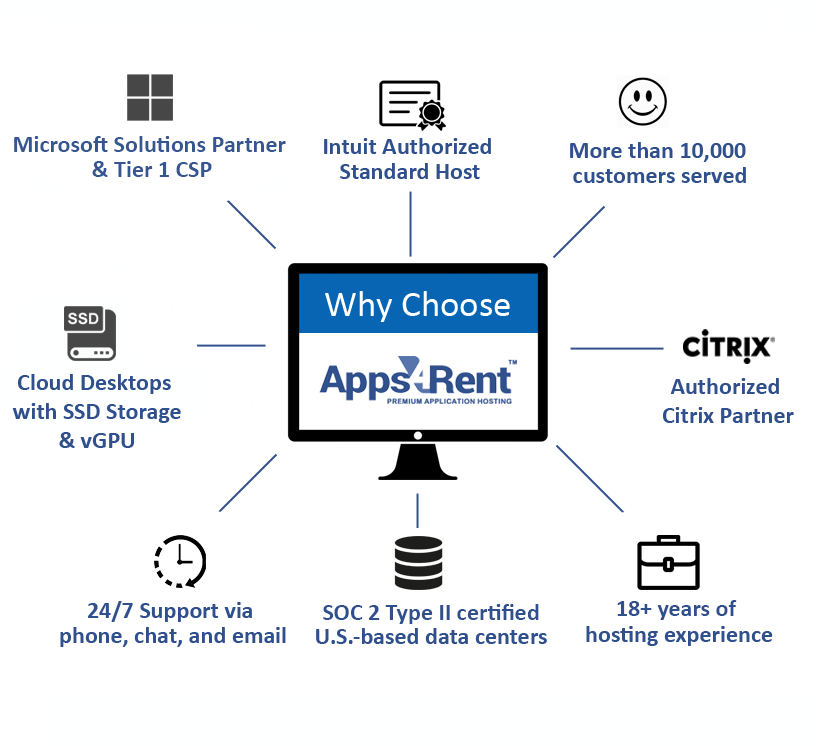
- We have served over 10,000 businesses - from small and medium businesses to Fortune 500 companies.
- We have more than two decades of experience hosting business applications, including accounting software, Microsoft 365, virtual desktops, servers, and private cloud environments.
- Apps4Rent is a Microsoft Solutions Partner with recognized expertise in cloud solutions, application development, collaboration, and modern workplace technologies. Our certifications reflect our experience in delivering and managing Microsoft-based solutions for businesses of all sizes.
- Our storage disk space comprises of Solid-State Drive (SSD) devices which improves efficiency, reduces workloads for technical admins, and boosts performance.
- Dedicated vGPU options are available. These options can be added to your hosted Windows desktop environment to deliver a smoother experience for applications that require additional GPU resources.
- Apps4Rent has extensive experience designing, deploying, and managing cloud environments across Microsoft Azure, AWS, Google Cloud Platform, and Oracle Cloud Infrastructure. We also help businesses choose and optimize the right cloud platform for their needs.
- Apps4Rent offers 24/7 support via phone, chat, email, and support tickets. We respond to phone and chat requests within 30 seconds and to emails and support tickets within 15 minutes.
Benefits of Hosted Virtual Desktop:
Apps4Rent’s hosted VDI solutions offers flexibility, security, and cost efficiency by allowing users to access their desktop environment from anywhere with an internet connection. It enhances scalability, simplifies IT management, and ensures data security by keeping everything centralized in the cloud.
- Remote Accessibility: Access desktops from any device, anywhere.
- Cost Efficiency: Reduces hardware and maintenance costs.
- Scalability: Easily add or remove users as needed.
- Security: Centralized data storage minimizes security risks.
- Simplified IT Management: Automated updates, secure backups, and easy troubleshooting with 24/7 free end-user support.
Case Studies

CPAs Benefitting from Cloud Desktops, Colorado
How Denver-Based CPAs Benefitted from Cloud Desktops in a Crunch Tax Season

Family Medical Center Managed to Keep Patient Data Secure, NY
How Medical Center Secured there Patient data on a Cloud Desktop

IT Team Used Virtual Desktops for Development Software, SFO
How Apps4Rent offers end-to-end services including development, testing Effectively
Frequently Asked Questions (FAQs):
-
What is a hosted virtual desktop?
A hosted virtual desktop is a full Windows desktop environment that runs on Apps4Rent’s secure cloud servers and is delivered to your screen over the internet. Your desktop, applications, and data all live in the cloud and not on your local device. You get the same familiar Windows experience you’d have in the office, accessible from any laptop, tablet, or smartphone, anywhere in the world.
-
How is a hosted desktop different from a VPN?
A VPN gives you a secure connection to your office network, but your applications still run on your local device. With a hosted desktop, everything runs in the cloud. Your desktop, apps, and files all live on Apps4Rent’s servers. That means any device, even a basic Chromebook or tablet, gets a full-performance Windows desktop. There’s no sensitive data stored locally, which is a significant security advantage.
-
What devices can I use to access my hosted VDI?
You can connect from Windows PCs, Macs, Linux machines, Chromebooks, Android tablets, iPhones, and iPads. All you need is an internet connection and a browser or the Microsoft Remote Desktop app. No special hardware is required, which makes hosted VDIs ideal for remote teams, BYOD policies, and businesses with mixed device environments.
-
How much does a hosted virtual desktop cost per month?
Apps4Rent’s hosted VDI plans start at $15/month, with introductory pricing from $10/month for the first 3 months. Dedicated hosted desktop plans with more resources range from $29.95/month for Bronze with 4 GB RAM and 2 vCPU, to $249.95/month for Platinum Plus with 32 GB RAM and 24 vCPU. All plans include 24/7 support, daily backups, and 99.9% uptime. Annual billing saves 10% across all plans.
-
Is a hosted desktop billed monthly? Are there long-term contracts?
Yes, all Apps4Rent hosted desktop plans are month-to-month with no long-term contracts. You can upgrade, downgrade, or cancel at any time. Annual billing is available for businesses that prefer predictable costs, and it includes a 10% discount across all plans. There are no setup fees for standard deployments.
-
Can a hosted desktop reduce IT costs compared to traditional office PCs?
Yes. A hosted desktop can lower costs by removing the need to buy and maintain physical PCs and servers. With predictable monthly pricing and shared infrastructure, businesses often save significantly compared to managing individual office machines.
-
Can multiple users share one hosted desktop plan?
Yes. Unlike many providers that charge for a separate desktop per user, Apps4Rent lets you add multiple users to a single hosted desktop environment. This can reduce your per-user costs by more than 50% compared to competitors. Contact our team to discuss the right configuration for your team size.
-
How quickly can Apps4Rent set up a hosted desktop?
Standard hosted desktop environments for teams up to 25 users with common business applications are typically provisioned and ready within a few hours. Larger deployments with custom application configurations, Active Directory integration, or data migration may take 1 to 2 business days. Our team handles the full setup, so there’s no technical work required on your end.
-
Will my software work the same way on a hosted desktop as on a physical PC?
Yes. Any software that runs on Windows can be installed on your Apps4Rent hosted desktop, including QuickBooks, Sage, Drake, UltraTax, Microsoft 365, AutoCAD, and hundreds of others. For database-driven workflows, we also offer dedicated Microsoft Access hosting. The desktop environment mirrors a standard Windows 10 or 11 experience, so your applications look and behave exactly as they do on a local PC. Local devices like printers, scanners, and USB drives also work normally through the remote connection.
-
Can hosted desktops integrate with Active Directory and Microsoft 365?
Yes. Apps4Rent hosted desktops support full integration with Active Directory, Microsoft Entra ID, formerly Azure AD, and Microsoft 365. Your team keeps the same logins, group policies, shared drives, and collaboration tools they already use. Microsoft 365 applications including Outlook, Word, Excel, Teams, and OneDrive all work seamlessly within the hosted desktop environment.
-
How secure is a hosted virtual desktop?
Apps4Rent hosted desktop infrastructure is SOC 2 Type II certified and hosted in enterprise-grade, Tier-3 data centres. Security measures include bank-level SSL encryption, Windows Defender, multi-factor authentication (MFA), controlled access policies, and daily data backups. Because your data never leaves our servers, there’s no risk of sensitive files being stored on employee devices, which is one of the strongest security advantages of hosted desktops over traditional office setups.
-
Is my data backed up? What happens if something goes wrong?
Yes. Daily automated backups are included with every Apps4Rent hosted desktop plan. Your data is stored redundantly across multiple data centres, so even in the event of a hardware failure, your files and environment are recoverable. Our team monitors infrastructure 24/7 and can restore environments quickly in the event of any incident.
-
Can I run QuickBooks and accounting software on a hosted desktop?
Yes, this is one of the most common uses of Apps4Rent hosted desktops. Accountants, bookkeepers, CPAs, and tax professionals get secure access to QuickBooks Desktop, Pro, Premier, and Enterprise, plus Sage, Drake Tax, UltraTax CS, Lacerte, ProSystem fx, and ATX, from virtually anywhere. Your entire accounting team can work in the same hosted desktop environment simultaneously, with all applications and client files in one secure, cloud-hosted location. By keeping data centralized, your team stays productive and protected through tax season and year-round.
-
Is a hosted desktop suitable for law firms?
Yes. Apps4Rent hosted desktops are used by attorneys, law firms, and legal professionals who need secure, anywhere access to case management software, document management systems, and legal research tools. Our SOC 2 certified infrastructure and encrypted connections meet the data security requirements most law firms need. Common legal applications including Clio, MyCase, and iManage all run on our hosted desktops.
-
What kind of support does Apps4Rent provide?
Apps4Rent offers 24/7/365 technical support via phone, live chat, and email, staffed by real cloud engineers, not automated bots or outsourced call centres. Support covers initial setup, application installation, printer and device configuration, user management, and ongoing troubleshooting. We work like your internal IT team, and our average chat response time is under 30 seconds.
-
Why choose Apps4Rent as your hosted desktop provider?
Apps4Rent has been delivering managed cloud solutions since 2003, more than two decades of experience. We’re a Microsoft Solutions Partner certified across Modern Work, Azure Infrastructure, and Security. Our hosted desktop plans are among the lowest-priced in the market, and unlike most providers, we allow multiple users per desktop environment, which significantly reduces per-user costs. More than 10,000 businesses across 90 countries trust Apps4Rent for their cloud hosting.
-
Is there a free trial available?
Yes. Apps4Rent offers a 15-day risk-free trial on hosted desktop plans. You can also ask about our free demo to see the hosted desktop environment before committing to a plan. Contact our team via the form above or call 1-866-716-2040 to get started.
What Customers Say About Us on Leading Platforms
Real feedback from businesses using Apps4Rent Hosted Virtual Desktops.
Recent Feedback
Submit Your Requirement
