QuickBooks Cloud Hosting Services

Now with Super-Fast SSD Storage

  • Multiuser Access
  • 99.9% Uptime Guarantee
  • 24/7/365 Expert Support
  • Super-Fast SSD Storage

$12*/month

Pricing Plans

Hosting for Desktop Versions of:

QuickBooks Enterprise

QuickBooks Accountant

QuickBooks Pro Plus

QuickBooks for Contractors

QuickBooks Premier Plus

QuickBooks POS


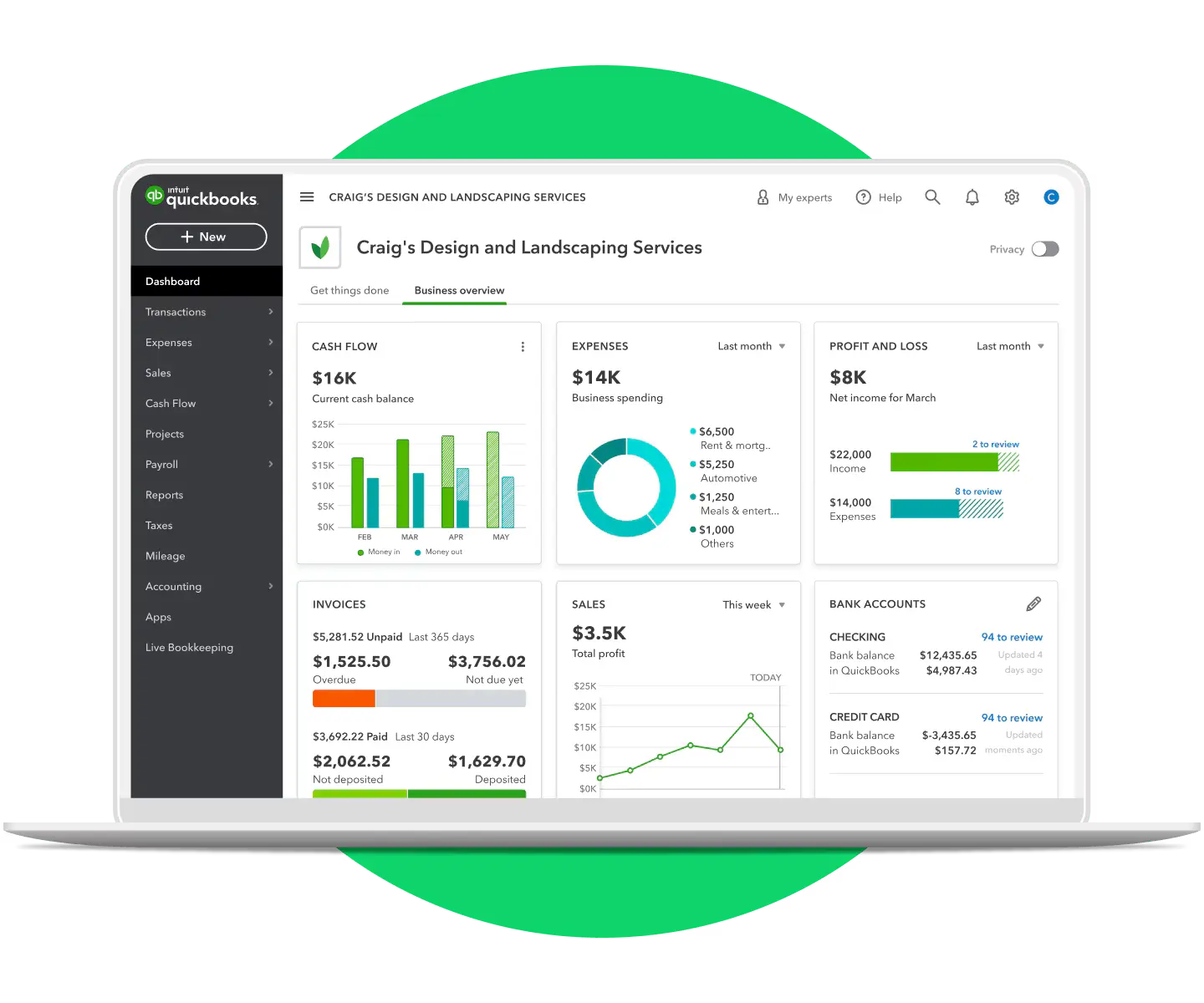
Extremely User Friendly QuickBooks Cloud Hosting


Works just like your physical desktop

Get the same experience as using QuickBooks on your physical desktop. We are unique in offering our customers a choice of Windows 7, 8, 10 or 11 look-and-feel on their Cloud Desktop.

Multiuser access from all popular devices

You can access QuickBooks from your home, office, or even on-the-go. It is accessible from Mac, PC, Chromebooks, Linux, Android, and iOS devices. Keep your accounts up-to-date from everywhere!

Host All QuickBooks Desktop Versions

Host QuickBooks Pro, QuickBooks Premier, QuickBooks Enterprise, QuickBooks Accountant, QuickBooks Pro Plus, and QuickBooks Premier Plus for the latest year and the prior three-year versions.

Works with all local devices

Need to print to a local printer from your cloud-based QuickBooks software? You can easily connect your printer and other external devices such as scanners, storage, and multiple monitors.


Safe, Secure and Reliable QuickBooks Hosting


99.9% uptime guarantee

You want your QuickBooks in the cloud available when you need it. That's why we match the industry standard service level of 99.9% uptime, the same service level guaranteed by Microsoft for Office 365.

Data backup on a daily basis

Your data on the Cloud Desktop has daily data backup, something small business otherwise fail to do on their own, which leaves them vulnerable in case of hardware or software failure.

Includes Windows Defender and firewall

We know that customer data is vulnerable to hackers, malware, and viruses. Our QuickBooks Cloud desktops are protected by a best-of-the-breed firewall and anti-virus software Windows Defender.

Based in top-tier data centers

Our cloud infrastructure is based in SOC 2 Type II certified data centers in New York City and New Jersey, meeting the redundancy and security standards of top banks and financial institutions.


Flexible as per Requirements


Add/subtract users as per your needs

With time, your business requirements change. We have very flexible plans that are designed according to your requirements. Upgrade users, storage, RAM, vCPUs at any point in your subscription.

No lengthy contracts. Pay monthly

We do not tie our customers with lengthy contracts. We adopt a 'pay-as-you-go' model which means you can pay on a month-to-month basis. If you pay annually, you get 10% discount on the total cost.

Add third-party apps such as MS Excel

In addition to QuickBooks, you can add several other third-party Windows applications on your Cloud Desktop. Add Microsoft Excel at $8.50/month/user on the same Cloud Desktop.

24/7/365 expert support

If you face any technical problems on Cloud Desktop related to QuickBooks, contact us 24/7/365 via chat, email or phone. We respond within 15 minutes with a quick resolution thereafter.


Inclusive of All the Features


Pre-installed free applications and tools

Your QuickBooks Cloud Desktop has pre-installed free applications: IE, Firefox, Chrome, Windows Media Player, Adobe Acrobat Reader, Remote Desktop, MS Paint, Notepad, Notes, Open Office.

Apps that integrate with QuickBooks

You can install your own software subscriptions that integrate with QuickBooks: Bill.com, Expensify, TSheets. Unlike competitors, we do not charge extra for hosting such additional applications.

Add Microsoft 365 Apps for enterprise

Microsoft 365 Apps for enterprise includes Word, PowerPoint, Excel, Outlook, OneNote, Publisher, Access, Teams, 1 TB space/user on OneDrive for Business.

Secure data connection with SSL

Your data connection is safe with "Secure Sockets Layer" (SSL) certification. Whenever you connect to our Cloud Desktop with QuickBooks, all your details are encrypted in a safe environment.


Quality Service at Low Price


Competitive prices in the market

We have always been known in the industry for high quality service at low prices. Our mission is to proliferate the cloud business among the masses, and our low pricing reflects just that.

Experienced player in QuickBooks hosting

Since a decade, we have hosted accounting and tax applications such as QuickBooks, Peachtree/Sage, and Drake on our Cloud Desktop. We understand the needs of accountants.

Intuit authorized host for QuickBooks

Apps4Rent is an authorized standard host for QuickBooks. We are authorized to resell licenses under the QuickBooks Solution Provider Program.

Over 10,000 customers served

We have served over 10,000 customers, including all kinds of businesses, over the last 15 years across more than 90 countries. We are not just any other cloud hosting company, we are Apps4Rent.


Serving Over 10,000 Businesses in More Than 90 Countries

Case Studies

CPAs Benefitting from QuickBooks Cloud

CPAs Benefitting from Cloud Desktops, Colorado

How Denver-Based CPAs Benefitted from Cloud Desktops in a Crunch Tax Season

Read More ⇨

Accounting Firm Having Special Security Requirement on Cloud Desktops

Accounting Firm Having Special Security Requirements, Maryland

How an Accounting Firm With 28 Users Secured Authentication with a Cloud Desktop

Read More ⇨

Bistro Owners Using QuickBooks Cloud Hosting

Bistro Owners Using QuickBooks Cloud Hosting, California

How Bistro Guys Used Cloud Desktops to Manage Their Working Hours Effectively

Read More ⇨

QuickBooks Hosting Pricing and Plans

Choose from our session-based QuickBooks hosting plan at $12/month for single users, or our dedicated QuickBooks hosting plans for teams starting at $34.95/month. Pay month to month — no contracts, no setup fees. Pay annually and save 10%.

Session-Based
QuickBooks
 

$12*/month

$24/month
Promotion price for
the first 3 months.
Then $24/mo.

  • Grid-powered, fully-burstable
    RAM and vCPU
  • 5 GB SSD disk space
  • Install Office 365 or Excel
  • 1 user only
     
  • 1 user included in the above price
    Option to add users
     
  • No booster plan
     

Dedicated
QuickBooks Bronze

$34.95/month

Save 18% on
24-month payment

Save 10% on annual payment

  • 4 GB RAM and
    2 vCPUs
     
  • 40 GB SSD disk space
  • Install custom applications
  • 1 user only
     
  • 1 user included in the above price
    No add-on users
     
  • Option to add
    Booster plan

Dedicated
QuickBooks Silver

$47.95/month

Save 18% on
24-month payment

Save 10% on annual payment

  • 6 GB RAM and
    4 vCPUs
     
  • 50 GB SSD disk space
  • Install custom applications
  • Suggested for
    2 to 5 users
  • 1 user included in the above price
    Add-on users @ $26/user/month
  • Option to add
    Booster plan
Most Popular

Dedicated
QuickBooks Gold

$84.95/month

Save 18% on
24-month payment

Save 10% on annual payment

  • 12 GB RAM and
    6 vCPUs
     
  • 65 GB SSD disk space
  • Install custom applications
  • Suggested for
    6 to 14 users
  • 1 user included in the above price
    Add-on users @ $26/user/month
  • Option to add
    Booster plan

Dedicated
QuickBooks Platinum

$134.95/month

Save 18% on
24-month payment

Save 10% on annual payment

  • 16 GB RAM and
    12 vCPUs
     
  • 130 GB SSD disk space
  • Install custom applications
  • Suggested for
    15 to 30 users
  • 1 user included in the above price
    Add-on users @ $26/user/month
  • Option to add
    Booster plan

Dedicated
QuickBooks Platinum Plus

$254.95/month

Save 18% on
24-month payment

Save 10% on annual payment

  • 32 GB RAM and
    24 vCPUs
     
  • 250 GB SSD disk space
  • Install custom applications
  • Suggested for
    > 30 users
  • 1 user included in the above price
    Add-on users @ $26/user/month
  • Booster plan A
    included

Note: Each add-on user gets additional 1 GB RAM.

Which QuickBooks Hosting Plan is Recommended for You?

Session-Based QuickBooks

Recommended for users who only want MS Office along with QuickBooks.

Dedicated QuickBooks Bronze

Recommended for single users using third-party apps along with QuickBooks.

Dedicated QuickBooks Silver

Recommended for 2-5 users using third-party apps along with QuickBooks.

Dedicated QuickBooks Gold

Recommended for more than 5 users using third-party apps along with QuickBooks.

Which QuickBooks Hosting Plan is Recommended for You?

QuickBooks on Cloud in 3 Easy Steps:


STEP 1

Select the Right Plan

Based on the number of users, buy the recommended plan suitable for you.

STEP 2

Add Users during Signup

During sign up, request us
for add-on users.

STEP 3

Install QuickBooks

Once your virtual desktop is ready, install QuickBooks and other applications
you need.

Over 200+ Applications Integrate with QuickBooks Cloud Desktop

If you use any third-party application with QuickBooks, you can use seamlessly with QuickBooks Cloud Desktop too. Many popular applications like TSheets, Bill.com, Expensify integrate seamlessly with QuickBooks Cloud. Get the same experience. Unlike other QuickBooks hosting solution providers, Apps4Rent does not charge anything extra to allow additional applications on the Cloud Desktop.

See all the applications that integrate with QuickBooks Cloud Desktop.

 Shopify Integrates with QuickBooks Cloud Desktop
Online-Back-up-and-Restore Intergration
Paybooks-Payroll-Cloud-Application Integration
Bill.com Integration with QuickBooks
Expensify Integrates with QuickBooks Cloud Desktop
TSheets Integration with QuickBooks
Alavara Integration with QuickBooks
Method CRM Integration with QuickBooks
Fishbowl Integration with QuickBooks
Excel Integration with QuickBooks
Activate Integration with QuickBooks
Receipt Integration with QuickBooks
Amazon Integration with QuickBooks
AR Collect Integration with QuickBooks
Autofy Integration with QuickBooks
Beanworks Integration with QuickBooks
Bill pay Integration with QuickBooks
 BillQuick Integration with QuickBooks
Clique Integration with QuickBooks
Clover Integration with QuickBooks
Co-Hesion Integration with QuickBooks
Commerce Sync Integration with QuickBooks
Sprite Integration with QuickBooks
Pay Integration with QuickBooks

QuickBooks Hosting Advantages - Enterprise Edition

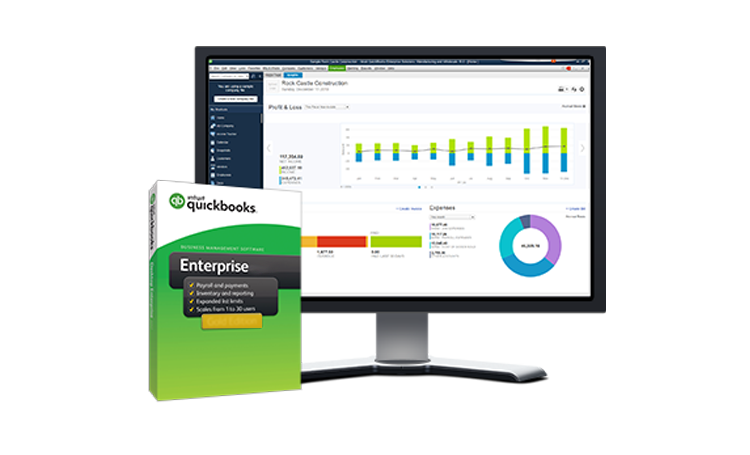
Hosting QuickBooks Enterprise in the cloud is a suitable option for enterprises that have several QuickBooks users. QuickBooks Enterprise has more functionalities than QuickBooks Pro and Premier editions. With QuickBooks Enterprise hosting, get all the industry-specific flavors (Manufacturing and Wholesale, Retail, Non-Profit, Contractor and more) in the cloud.

Benefits of QuickBooks Enterprise hosting in the cloud:

  • Work together with a dispersed team
  • Safe, secure, and reliable work environment
  • Track bills, create estimates, print checks
  • Reduce massive IT costs by eliminating inhouse servers
QuickBooks Enterprise Hosting Solutions by Apps4Rent

Why Choose Apps4Rent As Your QuickBooks Hosting Provider?

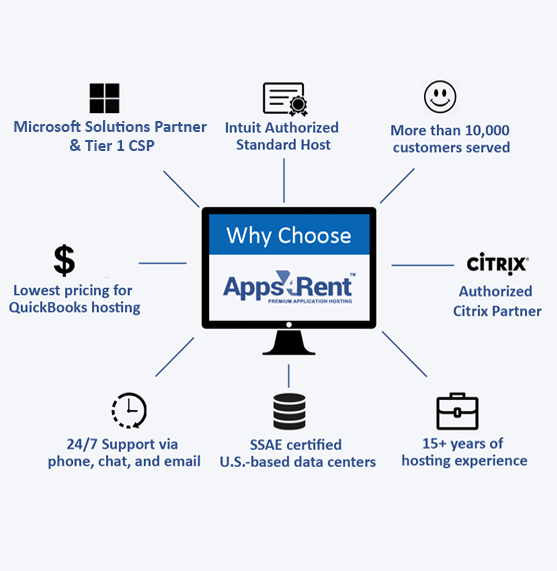
Why Apps4Rent for QuickBooks Cloud Hosting Services?
  • Apps4Rent is an Intuit-authorized QuickBooks hosting provider and QuickBooks Solution Provider. We host QuickBooks Enterprise, QuickBooks Accountant, QuickBooks Pro Plus, and QuickBooks Premier Plus for the latest and prior 3-year versions.
  • We have served over 10,000 businesses — from small and medium businesses to Fortune 500 companies, nonprofits, government agencies, and independent CPAs.
  • Our QuickBooks cloud hosting plans start from $24/month — the lowest among Intuit-authorized providers. No setup fees, no extra charges for third-party apps, and no long-term contracts.
  • Your QuickBooks data is hosted in SOC 2 Type II certified data centres in New York and New Jersey. Every plan includes daily automated backups, SSL encryption, enterprise firewall, and Windows Defender. Multi-factor authentication is available on all plans.
  • Apps4Rent offers QuickBooks cloud hosting with secure multi-user access from PC, Mac, Chromebook, iOS, and Android. All plans include 24/7 support by phone, chat, and email with a 15-minute response guarantee.
  • We are a Microsoft Solutions Partner for Modern Work and a Tier-1 CSP for Office 365 and Azure. We are also an authorized Citrix Partner.
  • Our SSD-powered cloud desktops give you a fast, seamless QuickBooks experience — with none of the lag you get on older storage infrastructure.

All You Need to Know – Download Your QuickBooks Cloud Hosting Brochure!

Enjoy seamless multi-user collaboration, automatic backups, and top-tier security to protect your financial data. No more worrying about software updates or system crashes—our cloud environment ensures your QuickBooks is always up-to-date and running smoothly. Whether you're a small business owner, accountant, or CPA, QuickBooks Cloud Hosting streamlines your workflow and enhances productivity.

Our high-performance servers guarantee fast and reliable access, ensuring your business operations never face downtime. With 24/7 technical support, you’ll always have expert assistance whenever you need it. Plus, our scalable hosting plans allow you to upgrade or downgrade based on your business needs, giving you cost-effective flexibility.

Get started today and transform the way you manage your finances!

Frequently Asked Questions (FAQs):

  1. Will my QuickBooks version work on virtual desktops the same way as on a physical desktop/server?

    Yes, QuickBooks will work on Apps4Rent virtual desktops exactly the way it does on physical machines. There will be no change in the user interface, regardless of the type of device (smartphones, tablets, computers, etc.) or the operating system (Windows, Mac/iOS, Linux) powering those devices. Local devices such as printers and USB devices work normally with the virtual desktops.

  2. Can I use it anytime from any device?

    Yes. That's the big advantage of using QuickBooks cloud version. With cloud-based QuickBooks, you can use the software anywhere anytime from any device — Mac, Windows, Android, iOS, Chromebooks, Surface Pro and more. All you need is an internet connection.

  3. Can I run QuickBooks Desktop on a Mac?

    QuickBooks Desktop is a Windows-only application. With cloud hosting, Mac users can access the full Windows version of QuickBooks Desktop through their browser or a remote desktop client — no Windows machine needed. This is one of the most common reasons Mac-based accountants and business owners switch to hosted QuickBooks.

  4. Can I have multiple monitor support for QuickBooks hosting?

    Yes, you get multiple monitor support for QuickBooks hosting. Unlike many other hosting service providers that do not support multiple monitors, users get the same look and feel of working on QuickBooks on physical machines with Apps4Rent QuickBooks hosting.

  5. Can multiple users access the same QuickBooks desktop software?

    Yes, multiple users can access QuickBooks on Apps4Rent virtual desktops, provided they have their own individual accounts and login credentials from Apps4Rent and individual licenses to use that particular version and year-edition of the software.

  6. Can I have multiple versions of QuickBooks on the same Cloud Desktop?

    Yes, you can have multiple versions of QuickBooks on the same Cloud Desktop. For instance, you can access QuickBooks Desktop Pro and QuickBooks Desktop Enterprise on the same virtual desktop.

  7. Does Apps4Rent offer QuickBooks licensing too?

    As a participant in the QuickBooks Solution Provider Program, Apps4Rent offers QuickBooks Enterprise licenses directly. It is convenient to have a single vendor for both licensing and hosting. Check with our sales team for current pricing and discounts on QuickBooks Enterprise.

  8. Are Apps4Rent hosting charges included with QuickBooks Desktop Plus plans?

    Hosting charges are not included with QuickBooks Desktop Plus subscription plans. Apps4Rent provides hosting separately — with round-the-clock support, SOC 2 certified infrastructure, and no long-term contracts. View our QuickBooks hosting plans for current pricing.

  9. What QuickBooks editions does Apps4Rent support?

    Apps4Rent hosts QuickBooks Pro Plus, Premier Plus, Enterprise, and Accountant editions — current version and the prior three year-editions, consistent with Intuit's support policy. All industry-specific flavours of QuickBooks Enterprise are supported, including Manufacturing & Wholesale, Retail, Non-Profit, Contractor, and Professional Services.

  10. How much does QuickBooks cloud hosting cost?

    Apps4Rent's QuickBooks cloud hosting starts at $12/month — the lowest entry price among Intuit-authorized hosting providers. Most competitors start at $29–$35/user/month. Dedicated team plans start at $34.95/month (Bronze, 1 user) scaling up to $254.95/month for teams over 30 users. Add-on users are $26/user/month. No setup fees, no lengthy contracts, and a 10% discount for annual payment. All plans are hosted in SOC 2 Type II certified data centres in New York and New Jersey.

  11. Is there a contract period?

    No. Our virtual desktops are available on a month-to-month basis. We are confident in our capabilities and do not tie our customers down with lengthy contracts.

  12. Is there a free trial or money-back guarantee?

    Yes. Apps4Rent offers a 15-day money-back guarantee on all QuickBooks hosting plans. There is no setup fee and no long-term commitment required to get started. If you are not satisfied within the first 15 days, contact our support team for a full refund.

  13. Is my data safe and secure with Apps4Rent? Will my data be backed up?

    Yes. Apps4Rent automatically takes incremental backups daily. Our servers are secured in SOC 2 Type II certified data centres in New York and New Jersey — the same security standard trusted by leading US banks and financial institutions.

    All data transfers are encrypted end-to-end. We deploy an enterprise-grade firewall, Windows Defender, multi-factor authentication (MFA), password-protected idle sessions, and file-type blocking to protect your data. Offsite backups on Azure are available as an additional layer of protection.

  14. Can I transfer data from hosted QuickBooks Enterprise to an external device?

    Yes, you can transfer files to and from hosted QuickBooks Enterprise simply by dragging and dropping them in the appropriate location. Note that you will require the same or similar version of QuickBooks Enterprise on the destination device to open a company file.

  15. What happens to my data if I cancel my hosting plan?

    Your QuickBooks company files are your data — Apps4Rent does not hold them. Before cancellation, you can download your company files directly from the cloud desktop to your local machine. Our support team will assist you with the data export process at no additional charge. There are no exit fees and no waiting periods.

  16. How does SSD storage help with QuickBooks hosting?

    QuickBooks hosted on a Solid-State Drive (SSD) is more responsive than on a traditional hard drive. With SSD storage, you get a smoother, faster experience navigating your Cloud Desktop. Non-SSD devices can experience small lags during peak usage. All Apps4Rent QuickBooks hosting plans run on SSD-powered infrastructure.

  17. Can Apps4Rent host QuickBooks on a Citrix Virtual Desktop or public cloud platforms like Azure, AWS, Google Cloud, or Oracle Cloud?

    Yes. Apps4Rent is an authorized Citrix Partner and can host QuickBooks on a Citrix Virtual Desktop environment for enhanced performance, scalability, and centralized management.

    We are also partners with leading public cloud providers, including Microsoft Azure, Amazon Web Services (AWS), Google Cloud Platform, and Oracle Cloud. This enables us to deliver secure, compliant, and high-performance QuickBooks hosting tailored to your business needs across multiple cloud environments.

    Contact our sales team to determine the best-fit cloud or virtual desktop configuration for your requirements.

  18. Does Apps4Rent support QuickBooks dedicated server hosting on the cloud?

    Yes. Apps4Rent supports QuickBooks server hosting on the cloud. Key advantages include: Dedicated resources — CPU, RAM, and storage reserved exclusively for your environment

    • No shared infrastructure — eliminates performance issues from other tenants
    • No downtime, upgrade, or security maintenance overhead
    • Superior performance at lower cost than on-premises server ownership
  19. I only need Microsoft Excel with QuickBooks. Can I have just that?

    Yes. You can add Microsoft Excel at $8.50/month/user on our cloud desktop alongside QuickBooks. If you already have a Microsoft 365 subscription, you can use it with our Cloud Desktop. Otherwise, Microsoft 365 Apps for enterprise is available at $15.75/month/user.

  20. How difficult is it to migrate QuickBooks to the cloud?

    Most migrations are completed within 24–48 hours and Apps4Rent handles the process for you. Our team moves your QuickBooks company files, settings, and supported add-ons to the hosted environment and tests everything before you go live.

    If you prefer to migrate yourself: take a backup of your QuickBooks company files from within QuickBooks Desktop, install your QuickBooks version on the virtual desktop as you would on a physical machine, and restore your data from the backup. Our 24/7 support team is available throughout the process.

  1. Can you move QuickBooks Enterprise to the cloud?

    Yes. QuickBooks Enterprise can be fully hosted in the cloud with all features intact and accessed remotely by your team.

  2. What are the advantages of QuickBooks Enterprise hosting with Apps4Rent?

    With Apps4Rent QuickBooks Enterprise hosting, your application and data are stored in secure SOC 2 certified data centres — enabling real-time collaboration, remote access, and consistent performance.

  3. Are there any restrictions on resource or data accessibility with Apps4Rent QuickBooks Enterprise hosting?

    No. You have complete access to your company files and administrator-level control within your allocated resources.

  4. Who provides support — Apps4Rent or QuickBooks Support?

    Apps4Rent ensures QuickBooks is working and accessible 24/7. Our support staff handle infrastructure-related issues: secure access, installation, printing, driver updates, and security patches — acting as your internal IT team.

    For questions about QuickBooks accounting functionality itself (how to run a specific report, reconcile accounts, etc.), you will need to work with Intuit's QuickBooks Support or community forums. Apps4Rent handles the IT layer; Intuit handles the software layer.

  5. Why should I choose Apps4Rent over other QuickBooks hosting providers?

    Several things separate Apps4Rent from the field:

    • Lowest price among Intuit-authorized providers: Plans start at $12/month — most authorized competitors start at $29–$35/user/month.
    • No extra charges for third-party apps: Over 200 QuickBooks-compatible apps (Bill.com, Expensify, TSheets, and more) are hosted at no additional cost. Many competitors charge $5–$15/month per add-on.
    • Intuit-authorized and SOC 2 Type II certified: Your data is hosted in certified data centres in New York and New Jersey — the same standard trusted by US financial institutions.
    • 20+ years of experience: Apps4Rent has been hosting accounting applications since 2003 — longer than most competitors have existed.
    • 15-day money-back guarantee: No setup fees, no long-term contracts, no risk.
    • 24/7 concierge support: Phone and chat with a 30-second response time, and ticket responses within 15 minutes.
  6. Why is Apps4Rent considered one of the best QuickBooks hosting providers?

    Apps4Rent has hosted QuickBooks for over 10,000 businesses across more than 90 countries since 2003 — from independent CPAs and small businesses to Fortune 500 companies and government agencies.

    As an Intuit-authorized host and QuickBooks Solution Provider, we are one of a small number of providers that Intuit has formally vetted and approved. Our infrastructure is SOC 2 Type II and SSAE 16 certified. We are also a Microsoft Tier-1 CSP and an authorized Citrix Partner — credentials that reflect the depth of our cloud infrastructure expertise beyond QuickBooks alone.

  7. What is the difference between QuickBooks hosting and QuickBooks Online?

    QuickBooks Online is a separate, browser-based product from Intuit with its own feature set and pricing. QuickBooks hosting means running the full QuickBooks Desktop software — Enterprise, Premier Plus, Pro Plus, or Accountant — on a remote server managed by Apps4Rent, accessible from any device over the internet.

    The key difference is feature depth. QuickBooks Desktop offers more advanced job costing, inventory management, custom reporting, and industry-specific editions than QuickBooks Online currently provides. Hosting Desktop gives you that full feature set with the anywhere-access of a cloud product — without having to switch to a different version of the software.

  8. Is Apps4Rent an Intuit-authorized QuickBooks host?

    Yes. Apps4Rent is listed on Intuit's official directory of authorized QuickBooks hosting providers and is a QuickBooks Solution Provider. Intuit authorization means Apps4Rent has met Intuit's technical, security, and support requirements for hosting QuickBooks Desktop in the cloud. It also means your QuickBooks license terms are fully honored — there is no ambiguity about whether cloud hosting is a permitted use of your license.

  9. Can I use third-party apps like Bill.com, Expensify, or TSheets with hosted QuickBooks?

    Yes. Unlike many hosting providers who charge extra for third-party apps, Apps4Rent does not charge additional fees to host applications alongside QuickBooks. Over 200 QuickBooks-compatible apps work on Apps4Rent cloud desktops, including Bill.com, Expensify, TSheets, Shopify, Fishbowl, Avalara, and more.

  10. What are the benefits of hosting QuickBooks on Apps4Rent Cloud Desktop?

    Secure access to QuickBooks from any device, any location, at any time — is the primary benefit. Beyond access, cloud hosting is budget-friendly and removes IT maintenance overhead. Your data is backed up daily, your applications are available 24/7, and our team monitors and protects your infrastructure around the clock.

Tyler, Attorney, Brooklyn, New York

"Whenever there is an issue, their turnaround time is remarkable. I have reached out by phone, chat, and email and have got a quick response each time. Apps4Rent stays on the case till the issue is resolved. They have a knowledgeable team and skilled operators."

Amanda, Book Keeper, Houston, Texas

"I work at a small accounting firm, where we require just two users on QuickBooks Pro. Our requirement is small, so other providers don't take us seriously. But I was treated so well at Apps4Rent. Nash even did a remote session and showed me how to use the service. Apps4Rent services are impressive."

Jessica, Florist, Atlanta, Georgia

"The low price seemed too good to be true. I was apprehensive at first because there is always some catch in low prices. But they turned out to be much better than our previous provider. Really happy with the QuickBooks service by Apps4Rent."

Ethan, IT Manager, Denver, Colorado

"We had 21 hosted QuickBooks Enterprise users logged in at the same time during peak accounting season. We were really worried. But everything went so well, and we faced no problems at all. Apps4Rent really delivered on their promise."

Recent Feedback

  • 27 February 2024
    "The support was fast and effective, Rob fixed everything I am using Apps4rent 2021 with QuickBooks desktop. I would recommend Apps4rent to anyone, the support is great!!"
    John - Business Owner, Texas
  • 7 February 2024
    "I experienced some issues and had a very patient technical support assist me until the issues were fixed! Thank you."
    Joe - Business Operations Manager, Illinois
  • 14 October 2023
    "Awesome service! We switched to host our QuickBooks file because our other cloud server kept freezing. So far so good."
    Lisa - Accountant, Florida
  • 16 August 2023
    "Apps4Rent is awesome. I am a CPA and have 3 different clouds for clients. I highly recommend them. Chris and the other support staff are helpful."
    Patrick - CPA, Oklahoma
  • 19 July 2023
    "Apps4Rent is extremely convenient for having QuickBooks! Allow my accountant easy access to all of the companies. In addition the customer service is INCREDIBLE. Thanks Apps4Rent!"
    Joe Spiriti - Managing Member, Florida
  • 16 March 2022
    "Awesome service! Upgraded & Migrated QuickBooks Pro quickly! Michael was professional, and polite, and answered all questions. This was painless! Thank you!"
    Andrea - Founder, Voice & Data Solution Provider, Los Angeles
  • 12 April 2022
    "Reliable 24hr hosting of QuickBooks."
    Tom - Auto Care Center, California
  • 21 October 2022
    "One of my close friends suggested me Apps4Rent for my QuickBooks Enterprise hosting requirement. I'm will be thankful to him always."
    Shane - Accountant in New Jersey
  • 13 September 2022
    "The gentleman that walked us through our initial QuickBooks setup of our was ABSOLUTELY WONDERFUL. He was very knowledgeable, professional, and patient. I hope everyone on your support team is as good."
    Nina - Account Manager, Diagnostic and Interventional Care Center, Ohio
  • 18 March 2020
    "Timely, complete, and friendly service getting Excel loaded onto our QB virtual desktop. Great QuickBooks Enterprise hosting service by the team!"
    Joel, Accounts Manager in Columbia, Maryland
  • 16 March 2020
    "Charles was great! Helped me understand exactly what services I have with Apps4Rent. So glad to have this company helping me with my IT needs."

    Sally - Farmers Insurance Agent in Pearland, Texas
  • 16 March 2020
    "Cathy was thorough and efficient. She checked different things to be sure all was working"

    Robin - Founder, Speech Therapy company, Scottsdale, Arizona
  • 15 March 2020
    "Great Service. My issue was taken care of quickly, efficiently, and professionally. Thank you."
    John - Attorney, Law firm in Norfolk, Virginia
  • 13 March 2020
    "The team is extremely capable, engaged, and helpful. Highly recommend Apps4Rent for their services."
    Steven - Interior Designer, Minneapolis, Minnesota, Ramsey Engler Ltd.
  • 12 March 2020
    "I'm really impressed by this company's customer service. They were very helpful and compassionate. The response time is also phenomenal."
    Chaim - Accountant, Bookkeeping service in Brooklyn, New York
  • 09 March 2020
    "I always get the most excellence service from them no matter if it's in the middle of the day or 3 am in the morning"
    Anna - Chief Executive, Fencing and railing company in Youngwood, Pennsylvania
  • 08 March 2020
    "Received great help from everyone involved in setting up our cloud service. Thanks!"
    Roger - Supplier, Manufacturing company in Stateline, Nevada
  • 08 March 2020
    "I am amazed how Apps4Rent team works so diligently. Clearly, one of the better QuickBooks hosting providers out there. Good job, guys!"
    James - Certified Public Accountant in Omaha, Nebraska
  • 08 March 2020
    "Good support. Followed up issue on VPN connection in an hour. Great service!"
    Varkey - CPA in Allen, Texas
  • 07 March 2020
    "Wade was extremely helpful over a very difficult weekend of being shut off from a different hosting provider"
    Jeremy - CPA and business owner, Accounting company in Dallas, Texas
  • 06 March 2020
    "The gentleman that helped me was excellent. I think I would have been beyond frustrated without his help. Thank you for making this painless"


    Scott - Bookkeeper, Topeka, Kansas
  • 05 March 2020
    "This conversion to Apps4Rent that we made a few years ago has proven to be a very positive experience"
    Ron - Senior Coordinator, Water damage restoration service in Jerome, Idaho
  • 04 March 2020
    "Give Jim a huge bonus and a raise! I owe him a cold beer. Great help. Thank you!"
    Wayne - IT project manager, Tech setup in Washington D.C

Submit Your Requirement

Trusted QB hosting service provider