-
What specific accounting software can you host?
We host the full spectrum: QuickBooks Desktop (Pro, Premier, Enterprise), all major tax suites (Drake, Lacerte, ProSeries, UltraTax, CCH), Sage 50/100/300, and niche tools like Creative Solutions. We also host complementary applications like Microsoft Excel, Access, and document management systems.
-
How does your solution work during peak tax season?
Our enterprise-grade cloud infrastructure is designed for predictable high performance. We guarantee 99.9% uptime and can instantly scale resources to ensure your software runs smoothly during critical deadlines. Our 24/7 support is there for any urgent issues.
-
Is my clients' financial data secure in your cloud?
Absolutely. Security is our foundation. We employ bank-grade encryption (in transit and at rest), mandatory Multi-Factor Authentication (MFA), intrusion detection systems, and hardened, compliant data centers. We act as a custodian of your data with rigorous access controls and audit trails.
-
Can my staff and I work from anywhere?
Yes. Our hosted desktops and applications are accessible from any internet-connected device, including Windows PCs, Macs, iPads, and Chromebooks, using a secure client or web browser. Your office is wherever you are.
-
Do you help us collaborate with clients securely?
Yes. Through our integrated solutions like managed Microsoft 365/OneDrive and our DocuSign partnership, we enable you to share documents securely, co-edit files in a controlled way, and obtain e-signatures without ever needing insecure email attachments or personal Dropbox accounts.
-
What's included in your "fully managed" service?
We manage the entire stack: server infrastructure, software installation/updates, security patching, daily backups, monitoring, and 24/7 technical support for the applications we host. You are responsible for using the accounting software; we handle everything else.
-
Do I need to bring my own accounting software license?
Yes. You bring your existing license, and we install and configure the software on your Cloud Desktop. As a QuickBooks partner, we also offer licenses directly, in addition to hosting. See details here.
-
How does hosting my accounting software on a Cloud Desktop help my business?
Anywhere, anytime access to your accounting software is the biggest advantage of a Cloud Desktop. It's also cost-effective and sustainable in the long run: you can connect from any device, including Mac, Windows, Android, iOS, and Chromebooks. Your data is backed up regularly, your applications are available 24/7, and our team monitors your infrastructure around the clock. Automated maintenance also reduces the internal IT hours your team would otherwise spend managing servers and updates.
-
Is my crucial business data secure with Apps4Rent? Will there be a backup of my data?
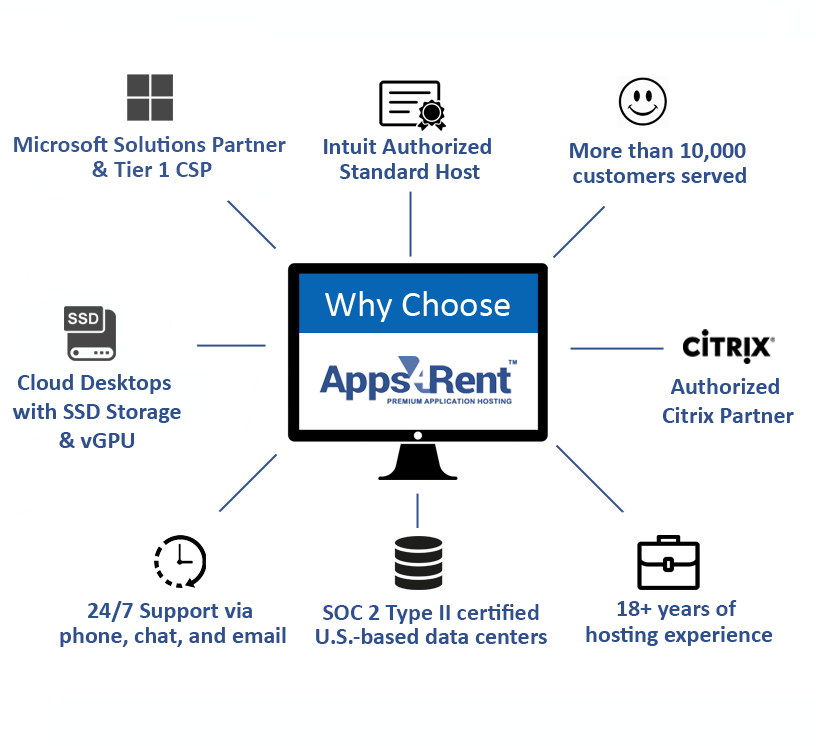
Yes. Data security is foundational to how we operate. Our cloud infrastructure runs in SOC 2 Type II certified data centers that meet the highest security standards, protected by Windows Defender and enterprise firewalls. We also maintain GDPR-aligned data handling and run daily data backups, so your information stays both secure and recoverable.
-
How does SSD storage help you with accounting software hosting?
SSD storage is significantly more responsive than traditional hard-disk storage, so your accounting software loads faster and runs more smoothly on your Cloud Desktop, without the occasional lag that spinning drives can introduce during heavy use.
-
Can multiple users access the same Cloud Desktop software?
Yes. Multiple users can simultaneously access the same Cloud Desktop environment. To enable multiple users, you need an appropriate Cloud Desktop plan and the required multi-user licenses for your accounting software. Each user gets their own desktop environment, along with access to shared resources where permitted. Account administrators can manage user permissions and control access to applications for individual users.
-
Can I add third-party applications on the same Cloud Desktop?
Yes. You can add third-party applications that integrate with your accounting software on the same Cloud Desktop, at no additional charge.
-
Is there any long-term contract period for the software hosted on Apps4Rent's Cloud Desktop?
No. We don't lock customers into lengthy contracts. Billing is monthly, with a 10% discount available on annual subscriptions.
-
What are the software solutions that I get free over the hosted platform?
Every Cloud Desktop includes standard productivity software at no extra cost, including Internet Explorer, Firefox, Chrome, Windows Media Player, Adobe Acrobat Reader, Remote Desktop, MS Paint, Notepad, Notes, and OpenOffice.
-
I am interested to host my accounting software with Apps4Rent. How do I proceed further?
Select your software from the plans above and click "Buy Now" to get started. If you have questions along the way, our support team is happy to help. Thank you for considering Apps4Rent.
-
What's the difference between cloud accounting software and hosted accounting software?
Cloud accounting software, like QuickBooks Online, is a different product built for the browser. Hosted or cloud-hosted accounting software runs your existing desktop program — QuickBooks Desktop, Sage, Drake — on a remote server, so you keep the exact software and features you already use.
-
Can I use cloud desktop hosting with tax software during tax season?
Yes. Apps4Rent's Cloud Desktops are built to handle peak-season load for Drake, Lacerte, ProSeries, and other tax-prep software, with the option to scale resources up temporarily during filing deadlines.
-
Do I need to buy new software licenses to move to the cloud?
No. You bring your existing accounting or tax software license, and Apps4Rent installs and configures it on your Cloud Desktop.
-
Which accounting software can be hosted in the cloud?
Apps4Rent hosts QuickBooks, Sage 50/100/300/500, Drake, Lacerte, ProSeries, UltraTax, CCH, TaxWise, OfficeTools, Peachtree, and most other Windows-based accounting and tax applications.
 USA 1-866-716-2040
 Live Chat