Host Your MS Access Database in the Cloud

Microsoft Access Cloud Hosting for Building and Sharing Databases

Apps4Rent offers fully managed Microsoft Access online hosting solutions for businesses that need a secure, scalable, and cloud-based Access database environment. Run your hosted Access database from anywhere while enabling teams to build, manage, and share databases, reports, forms, and business applications with ease. Our MS Access web hosting solutions support Microsoft Access 2016, 2019, and 2021 on secure Windows cloud desktops with flexible RAM and SSD storage configurations to match different workload requirements.

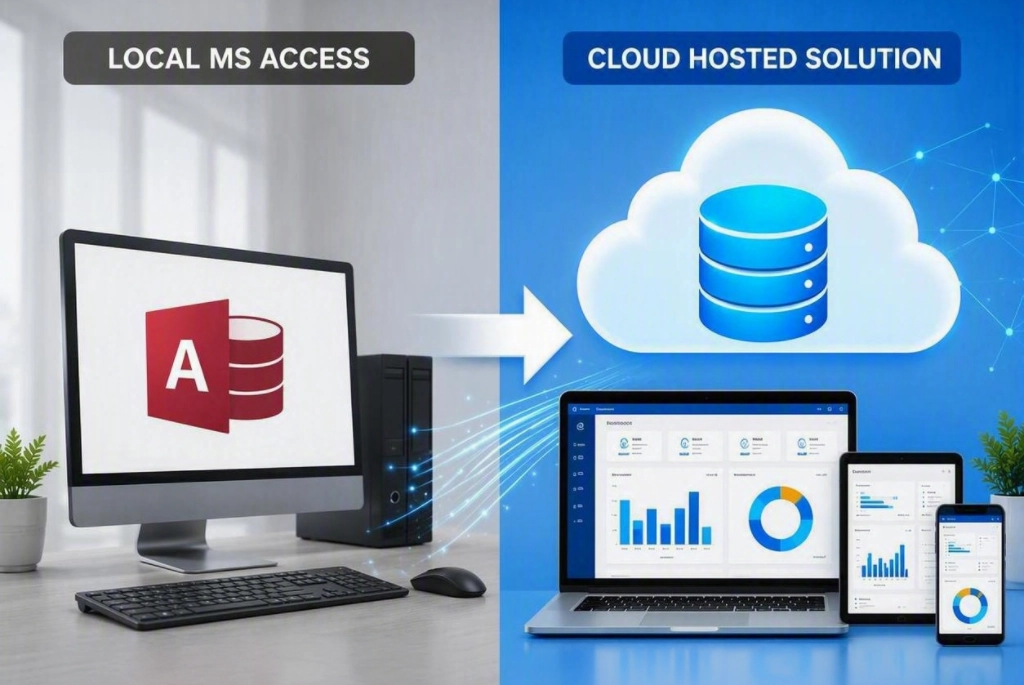
Since Microsoft retired Access Services and the MS Access Online web app experience, businesses have been forced to rely on local desktops, fragmented remote access setups, or limited alternatives that do not fully support existing Access databases. With Apps4Rent’s database hosting service, organizations can continue using familiar Microsoft Access applications without rebuilding databases or changing workflows.

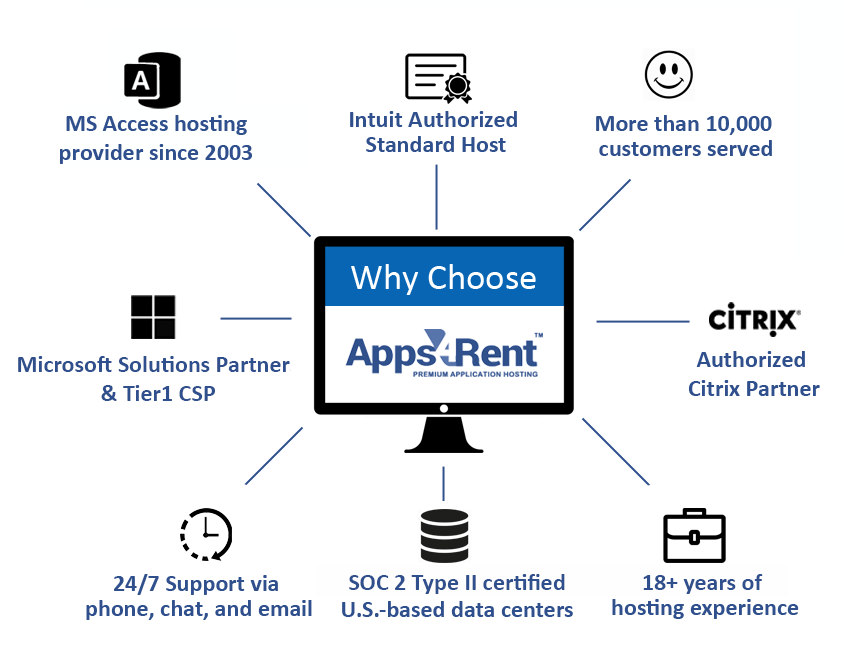
With over 18 years of Microsoft cloud expertise, Apps4Rent has helped more than 10,000 businesses across 90+ countries modernize their IT environments. As a Microsoft Solutions Partner, we provide secure cloud hosting for Microsoft Access databases with daily backups, remote accessibility, multi-user collaboration, and support for additional business applications such as SQL Server within the same hosted environment. Our Microsoft Access hosting specialists are available 24/7 via phone, chat, and email to assist with deployment, migration, and ongoing support.

  • Full-Featured Online Solution
  • Supports MS Access 2021/19/16/13
  • Simplifies Database Management
  • Facilitates Online Collaboration
  • 24/7 Multi-Channel Support
  • Easy to Setup

$26.95*/month

Pricing Plans

Why Migrate to MS Access Online?


Improved Solution Accessibility

Microsoft Access is currently available exclusively as an on-premises solution. Database Hosting service empowers remote teams to access their Microsoft Access database online from any device, including mobiles, tablets, and laptops.

Better Database Scalability

By migrating MS Access online, it is easy to scale up or scale down the solution. The limitation in the Microsoft Access software is the only factor that affects the number of users and tables. This too can be overcome with hosted SQL Server.

Simplifies Business Processes

MS Access online migration simplifies business operations. Distributed teams can use relational database tables, reporting features, Access forms, automate processes, and leverage the power of MS Access online.

Lowers Operational Costs

By minimizing on-premises infrastructure, businesses can not only reduce the capital expenses of using Microsoft Access but also lowers operational costs. Using a cloud platform for Access hosting is a cost-neutral solution for developers.


Why Cloud Desktop for MS Access Online Hosting?


Provides Dedicated Resources

By using cloud desktops for MS Access online hosting, businesses can take advantage of dedicated resources for creating and sharing business applications quickly. This not only improves performance, but also increases security.

Consistent & Reliable Performance

Access online hosting ensures that the solution is highly available in a stable cloud desktop environment. The cloud desktops not only are backed up regularly, but also do not need cards, cables, and other infrastructure that can result in database corruption.

Add Other Applications

Microsoft Access is a highly versatile DBMS (Database Management System). By hosting Microsoft Access online on a virtual desktop, businesses can use line-of-business apps and other solutions such as SQL Server in the same virtual environment.

Full-Featured
Solution

While there are several alternatives to Microsoft Access Online, most solutions do not allow the use of the Access database as is. With Microsoft Access online cloud hosting, developers have full access to all the features similar to the on-premises solution.


Why Apps4Rent for Microsoft Access Online Service?


Fully Managed
Solution

Apps4Rent provides a fully managed Microsoft Access online hosting service. There is no need to worry about database servers. Developers can focus on building their applications instead tasks such as, server administration and management.

Top Tier
Microsoft CSP

Microsoft Access is available in select Microsoft 365/ Office 365 plans. As a Microsoft Solutions Partner, Apps4Rent can provide licenses and host Microsoft Access online along with other applications in our top tier SOC 2 Type II datacenters or on Azure.

24/7/365
Tech Support

Apps4Rent is one of the few providers of Access online hosting services to offer 24/7 phone, chat, and email support. We have an SLA of responding within 15 minutes of contact, and a quick resolution of issues thereafter.

Experienced Solution
Provider

Apps4Rent has been providing application hosting services since 2003. We have served over 10,000 businesses in 90+ countries, are one of the pioneers of providing hosting services for accessing MS Access online.

Serving Over 10,000 Businesses in More Than 90 Countries

Move Access Database to the Cloud in 3 Easy Steps:


STEP 1

Select the Right Plan

Based on the requirement, buy the recommended plan suitable for you.

STEP 2

Add Users

Add incremental users at $22/user/month.

STEP 3

Install and Setup

If you buy the Dedicated plan, host other applications that you need.

Microsoft Access Hosting Plans & Pricing

Access Hosting – Standard

$29.95/month
Save 10% on annual payment
  • Grid-powered RAM and vCPU
  • 5 GB Disk Space
  • Only pre-installed applications
  • 1 user included in the above price
    No add-on users
  • 2019/16 versions supported

Access Hosting – Enterprise

$49.95/month
Save 10% on annual payment
  • Grid-powered RAM and vCPU
  • 20 GB Disk Space
  • Only pre-installed applications
  • 1 user included in the above price
    Incremental add-on users @ $22/user/month
  • 2019/16 versions supported
Most Popular

Access Hosting – Dedicated

$47.95/month
Save 10% on annual payment
  • Dedicated RAM and vCPU
  • 65 GB Disk Space
  • Install any application of your choice
  • 1 user included in the above price
    Incremental add-on users @ $22/user/month
  • 2021/19/16/13 versions supported

Note:
  1. Individual desktop resources can burst up to the total available RAM and vCPU resources in the grid.
  2. In Access Hosting Dedicated plan, 2 vCPUs and 4 GB RAM is included.

Microsoft Access Hosting vs. Self-Hosting vs. SharePoint Alternatives

Businesses looking to enable remote access for Microsoft Access applications often compare three common options: maintaining self-hosted infrastructure, replacing workflows with SharePoint-based tools, or adopting a fully managed Access Database cloud solution. While each approach supports collaboration differently, they vary significantly in terms of accessibility, maintenance, scalability, and long-term usability.

Apps4Rent provides a secure cloud-based Access database environment that allows businesses to continue using their existing Access applications without rebuilding databases or investing in costly on-premises servers. With fully managed database hosting services, organizations can simplify remote access, support distributed teams, and maintain the familiar functionality of Microsoft Access in the cloud.

Explore how Apps4Rent’s hosted Microsoft Access environment compares with self-hosted deployments and SharePoint-based alternatives across key business and infrastructure considerations below.

Feature Apps4Rent Self-Hosted Access SharePoint Alternatives
Existing Database Support Uses existing Access databases Fully supported Often requires migration
Remote Access Access from anywhere Requires VPN/RDP setup Web-based access
Supported Versions Access 2016, 2019, 2021 Depends on setup No full Access support
Multi-User Access Optimized for shared access Limited by infrastructure Suitable for basic collaboration
Infrastructure Management Fully managed Managed internally Provider managed
Scalability Easily scalable Hardware-dependent Limited for complex databases
Additional Applications Supports SQL Server and business apps Separate setup required Limited compatibility
Backup & Security Daily backups included Self-managed backups Platform-dependent
Hardware Costs No on-premises hardware Requires servers and maintenance Lower infrastructure costs
Technical Support 24/7 support included Internal IT support Limited platform support
Best Suited For Full Access functionality in the cloud In-house IT environments Basic web-based database workflows

Who Is Microsoft Access Cloud Hosting For?

SMBs

Enable employees to securely access business databases from anywhere while simplifying IT management.

Nonprofits

Manage donor records, case files, and operational databases without investing in costly servers.

Local Access Users

Move Access databases from shared drives and local PCs to a centralized cloud environment with multi-user access.

Remote Teams

Support distributed employees and teams with secure access to Microsoft Access applications across devices and locations.

Who Is Microsoft Access Cloud Hosting For?

Looking for Secure Microsoft Access Hosting?

Speak with our cloud specialists to host your Microsoft Access databases
securely and enable seamless multi-user access from anywhere.

Discover the Benefits of Microsoft Access Hosting – Get the Brochure

Move your Microsoft Access databases beyond the limitations of local systems and make them securely accessible from virtually anywhere. With Apps4Rent's Microsoft Access hosting, teams can work with databases, forms, reports, and custom applications in the cloud while continuing to use the Access applications they already rely on. You can easily support remote employees, distributed offices, and multi-user collaboration through a centralized, flexible, secure cloud environment.

As a trusted Microsoft Solutions Partner, Apps4Rent delivers Microsoft Access hosting on secure, enterprise-grade infrastructure with consistent performance, automated daily backups, robust security, and high availability. Easily scale users, storage, and computing resources as your needs evolve without managing on-premises infrastructure. Download the brochure today to learn how Apps4Rent’s Microsoft Access Hosting solutions can simplify database management, improve productivity, and provide secure access to critical business information from anywhere.

Why Apps4Rent for MS Access Online Cloud Hosting Services?

With over 20 years of experience delivering managed cloud and application hosting solutions, Apps4Rent helps businesses run Microsoft Access databases securely in the cloud without the complexity of managing infrastructure internally.

why apps4rent
  • Apps4Rent is a Microsoft Solutions Partner with expertise across Modern Work, Infrastructure (Azure), Security, Data & AI (Azure), and Digital & App Innovation (Azure).
  • Host Microsoft Access on Azure, Citrix environments, or Apps4Rent’s SOC 2 Type II compliant datacenters based on your business and performance requirements.
  • Easily scale users, storage, and computing resources as your Microsoft Access environment grows.
  • Microsoft Access databases hosted with Apps4Rent are backed up daily at no additional cost for improved business continuity and reliability.
  • Our team handles deployment, server management, maintenance, updates, and ongoing infrastructure support for your hosted Access environment.
  • Get round-the-clock assistance from Microsoft specialists via phone, chat, and email whenever support is needed.
  • Choose hosting plans without long-term contracts, backed by a 15-day money-back guarantee.

Frequently Asked Questions (FAQs):

1. Can MS Access be used online?

Yes, Microsoft Access can be used online with a secure Access Database cloud solution such as Apps4Rent’s hosted virtual desktops. Businesses can use their cloud based Access database environment to securely access forms, reports, and applications from virtually anywhere without relying on local systems.

2. Is there a cloud version of MS Access?

Microsoft does not currently offer a fully native web-based version of Microsoft Access. However, Microsoft Access cloud hosting solutions from Apps4Rent allow businesses to run their existing Access database in the cloud with full desktop functionality, remote access, and multi-user support.

3. Do changes have to be made while moving the Access database online?

In most cases, no changes have to be made to the databases while moving Access online from computers and servers with Apps4Rent Access hosting services. Files used by multiple users can be put in a shared drive or folder to enable multiple users to access the same database.

4. Can multiple users access an Access database online?

Yes, multiple users can securely access the same Access database online simultaneously with Apps4Rent MS Access web hosting solutions. Hosted environments support centralized database access, shared workflows, and remote collaboration for distributed teams.

5. Will I lose data if the internet disconnects while using Microsoft Access online with Apps4Rent cloud hosting?

No, with Apps4Rent Access cloud hosting service, the only information traveling over the internet is the keypresses and mouse clicks. All the data is stored in Apps4Rent virtual machines that have an uptime of 99.9% and are backed up regularly.

6. Can data be moved from Apps4Rent virtual desktops to local machines while using MS Access online?

Yes, uses can not only copy and paste files to and from Apps4Rent virtual machines but can also perform all the regular operations such as printing and accessing shared drives with virtual machines that are similar to physical workstations.

7. How much does MS Access hosting cost?

MS Access hosting starts from $29.95 per month with Apps4Rent cloud desktop plans. Pricing depends on storage, users, resource requirements, and whether businesses choose shared or dedicated MS Access hosting environments.

8. Will I continue to own the data if I migrate the Access database online with Apps4Rent?

Apps4Rent only provides Access hosting services. Users own the data stored in the virtual machines provided by Apps4Rent.

9. How long does it take to migrate the MS Access database online with Apps4Rent?

Typically, it takes only a few hours to configure virtual desktops for MS Access cloud hosting by Apps4Rent. The time taken for the migration depends on the customer requirements and existing data. It is recommended to back up the database before moving it to the cloud with Apps4Rent.

Shawn, Database Admin, Seattle, Washington

"I wasn't sure if Apps4Rent could deliver their promise, but they did a great job in hosting MS Access. Apps4Rent is the best provider for those who are looking for MS Access hosting services at best price"

Amelia, Technical Support, Las Vegas, Nevada

"I always prefer Apps4Rent over other MS Access hosting providers because of the ease I get. Whenever there is even a minor issue, I quickly turn to their representative through phone or chat. Always satisfied with the team."

Recent Feedback

  • "Great service for Access hosting with SharePoint. Any doubts, just call. Simple. "
    Victor - Database Admin, Salem, Massachusetts
  • "I am impressed by the accuracy and discipline of Apps4Rent. Even in tough times, they are always working at their best. "
    Nick - Coordinator, US Marines External Services, Arlington, Virgina
  • "Outstanding explanation and clarification of the specific characteristics of the plan we need to buy. Thank you Cathy!"
    Joseph - Accounts Manager in Columbia, Maryland
  • "Very professional and provided me the help in very quick time."
    Tracy - Farmers Insurance Agent in Pearland, Texas
  • "Cathy immediately figured out what the problem was and had a solution already in place before I knew it."
    Richard - Founder, Speech Therapy Company, Scottsdale, Arizona
  • "Fast response, exact points service, understand what is needed with excellent response to the point."
    Yohan - Admin, Tech Company in Seattle, Washington
  • "Very helpful and fast. David is an awesome supporter and knows his stuff. Always ready to help and a true professional."
    Felix - Interior Designer, Minneapolis, Minnesota, Ramsey Engler Ltd.
  • "Nash was excellent. I am thrilled by his service. So polite to talk!"
    Bob - Web Designer, Graphics Firm in Brooklyn, New York
  • "All the questions were asked, person was professional and very informative."
    James - Chief Executive, Fencing and Railing Company in Youngwood, Pennsylvania
  • "Great technical support - professional attitude and service."
    H.J.M. Lemmen - Supplier, Manufacturing Company in Stateline, Nevada
  • "Excellent and knowledgeable service as always - just what I've come to expect from Apps4Rent!"
    Yang Hu - IT Admin in Chinatown, New York

Submit Your Requirement