CAD Software Cloud Hosting by Apps4Rent
High-Performance GPU Cloud Desktops for CAD Workflows
Engineering and design teams rely on powerful desktop-based CAD applications for precision work, but being tied to a single workstation can limit collaboration, slow down workflows, and create dependency on local infrastructure. At the same time, many browser-based CAD tools still fall short in performance, compatibility, and advanced functionality.
Apps4Rent hosts your full-featured CAD applications on high-performance, GPU-enabled Cloud Desktops that deliver the same experience as a local workstation. Your team can securely access their software from anywhere on any device, while we handle infrastructure, performance, backups, and security.
$99/month
View CAD Hosting PlansBuilt for Every CAD Application You Use
AutoCAD
Hosted CloudRevit
Hosted CloudCATIA
Hosted CloudNanoCAD
Hosted CloudTurboCAD
Hosted CloudArchiCAD
Hosted CloudBluebeam
Hosted CloudPrimavera P6
Hosted CloudMicroStation
Hosted CloudSOLIDWORKS
Hosted CloudFreeCAD
Hosted CloudFusion 360
Hosted CloudOpenSCAD
Hosted CloudQGIS
Hosted CloudDraftSight
Hosted CloudBenefits of Our Cloud Desktop for CAD
Works Like Local Workstation
Experience your CAD software exactly as you would on a local machine, with full features, tools, and performance intact.
Access from Anywhere
Work on designs from office, home, or on-site using desktops, laptops, tablets, or mobile devices across all major platforms.
99.9% Uptime
Ensure your projects remain accessible whenever you need them, minimizing downtime and delays.
Enterprise-Grade Security
Your CAD files are protected in highly secure, compliant data centers with advanced monitoring and safeguards.
CAD Software Hosting Features
Full-Featured CAD
Run native CAD applications like AutoCAD, SolidWorks, Revit, DraftSight, and more with full functionality.
Plugin & Add-on Support
Install any third-party tools, plugins, and scripts that integrate with your CAD software.
Multi-User Collaboration
Multiple users can securely access the environment and collaborate on shared files from different locations.
Centralized Storage
Keep all your design files in one place for consistent access, version control, and automated backups.
Infrastructure & Security
GPU-Enabled Infrastructure
High-performance GPU power ensures smooth performance for graphics-intensive design and rendering tasks.
Ultra-Fast SSD Storage
Faster file access, smoother rendering, and responsive CAD experience even for large design files.
Advanced Security
Encryption, firewalls, access controls, and regular monitoring keep your design data protected.
Automated Backups
Regular backups safeguard your files against accidental loss or corruption.
Hosted Desktop for CAD Software – Centralized, Secure, Scalable
To overcome the limitations of local workstations and browser-based CAD tools, we host your full-featured CAD applications on high-performance, GPU-enabled Cloud Desktops that deliver the same experience as a local workstation.
Apps4Rent provides fully managed hosting services, eliminating the need for in-house IT management, hardware upgrades, and maintenance. Our team takes care of provisioning resources, system updates, and performance monitoring, ensuring your environment is always optimized.
- Works just like your physical workstation: Full features, tools, and performance intact.
- Access from anywhere on any device: Office, home, or on-site using desktops, laptops, tablets, or mobile.
- Cost-effective and scalable pricing: Avoid large upfront hardware investments, scale as you grow.
Solve Your Design and Engineering Challenges
We understand the demands of modern CAD workflows. Here’s how we help you overcome common challenges.
Get Started with CAD Cloud Hosting in 3 Steps
STEP 1
Select a configuration that matches your CAD performance and team requirements.
STEP 2
We configure your cloud desktop, install your CAD software, and set up secure
user access.
STEP 3
Log in from any device and start working on your CAD projects immediately.
CAD Software Hosting Plans
CAD Basic
$99/month*
Save 10% on Annual Payments
- 100 GB SSD Disk
- Dedicated 16 GB RAM
and 4 vCPU - 4 GB vGPU
- Windows Server 2022
- 15 Days Backup Included
CAD Standard
$149/month*
Save 10% on Annual Payments
- 100 GB SSD Disk
- Dedicated 55 GB RAM
and 6 vCPU - 4 GB vGPU
- Windows Server 2022
- 15 Days Backup Included
CAD Power
$279/month*
Save 10% on Annual Payments
- 100 GB SSD Disk
- Dedicated 110 GB RAM
and 12 vCPU - 8 GB vGPU
- Windows Server 2022
- 15 Days Backup Included
CAD Architect
$479/month*
Save 10% on Annual Payments
- 100 GB SSD Disk
- Dedicated 220 GB RAM
and 18 vCPU - 12 GB vGPU
- Windows Server 2022
- 15 Days Backup Included
Note: All plans support your choice of CAD software (AutoCAD, SolidWorks, DraftSight, Revit, etc.). Contact us for volume licensing options. *10% discount for annual payment.
CAD Hosting Applications We Support
Popular CAD & Engineering Apps
CATIA, NanoCAD, TurboCAD, ArchiCAD, Bluebeam, Primavera P6, MicroStation, SOLIDWORKS, FreeCAD, Fusion 360, OpenSCAD, QGIS, DraftSight, and more.
Architects & Designers
Create detailed floor plans, layouts, and construction drawings with consistent performance.
Engineering Teams
Develop technical drawings and 3D models without hardware limitations.
Construction & Manufacturing
Collaborate on project drawings, BIM coordination, and assembly instructions.

Why Choose Apps4Rent for CAD Hosting?
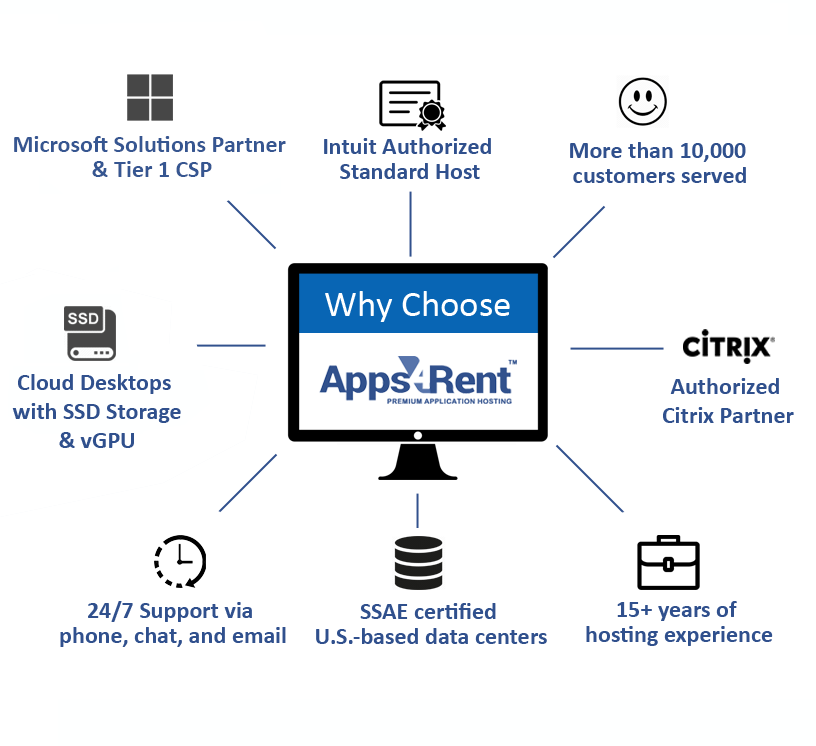
There are many cloud providers offering CAD hosting services, but only a few can match our experience, expertise, and proven track record. We bring over 18 years of experience hosting resource-intensive CAD and BIM applications.

- Served over 10,000 businesses, from small design studios to Fortune 500 companies.
- Infrastructure powered by high-performance SSD storage for faster file access and smoother rendering.
- Certified Microsoft Solutions Partner, authorized Citrix and Azure Partner.
- Secure multi-user connectivity from PC, Mac, and mobile platforms with MFA and remote backup.
- Responsive 24/7 support via chat, email, and phone included with all plans.
- Flexible monthly billing with discounts for annual plans – no long-term contracts.
Frequently Asked Questions (FAQs)
1. What CAD software can you host?
Apps4Rent hosts a wide range of CAD, BIM, and engineering applications, including tools used for 2D drafting, 3D modeling, rendering, and project management, along with their supporting plugins and add-ons.
2. Will CAD software perform the same as on my local workstation?
Yes. Our GPU-enabled cloud infrastructure ensures smooth performance comparable to or better than traditional workstations, even for graphics-intensive design and rendering tasks.
3. Can my team work remotely on the same CAD environment?
Yes. Multiple users can securely access the environment and collaborate on shared files from different locations, enabling real-time teamwork without version conflicts.
4. Is my design data secure in the cloud?
Yes. We use enterprise-grade security measures, including encryption, firewalls, and access controls, along with regular monitoring to keep your data protected at all times.
5. Do I need to purchase CAD licenses separately?
Yes. You can bring your own licenses, and we will configure them on your Cloud Desktop to ensure proper setup and seamless operation.
6. What does fully managed hosting include?
We handle infrastructure, updates, backups, monitoring, and technical support, ensuring your CAD environment runs smoothly without requiring in-house IT effort.
7. Can I access my CAD software from mobile devices?
Yes. You can access your Cloud Desktop from smartphones and tablets, though a larger screen is recommended for better usability and precision during design work.
8. Is there a long-term contract?
No. We offer flexible monthly billing with discounts available for annual plans, giving you the freedom to scale as your needs change.
9. Can I install additional applications?
Yes. You can install third-party tools and plugins that integrate with your CAD software, helping you customize your workflow as needed.
10. How do I get started?
Simply choose your preferred CAD hosting plan or contact our team, and we will guide you through setup, onboarding, and access to your cloud environment.

Get Started with CAD Cloud Hosting