QGIS Cloud Hosting by Apps4Rent

High-Performance Cloud Workstations for Geospatial Analysis & Mapping

QGIS is a powerful open-source geographic information system (GIS) used by analysts, urban planners, engineers, and researchers for mapping, spatial analysis, and geospatial data visualization. While it is highly capable, working with large datasets, complex layers, and rendering tasks can strain local systems and impact performance.

Apps4Rent hosts QGIS on high-performance, GPU-enabled cloud desktops designed to handle data-intensive GIS workflows. You get consistent processing power, secure remote access, and a fully managed environment without depending on local infrastructure. Continue using your existing QGIS setup while we manage performance, availability, and system maintenance.

  • Dedicated vCPU & RAM
  • GPU Acceleration Available
  • 99.9% Uptime Guarantee
  • SSD Storage & 15-Day Backup

$99/month

View QGIS Plans

Benefits of QGIS Cloud Hosting


High Performance

Process large geospatial datasets and render complex maps smoothly using dedicated cloud resources.

Centralized Management

Store and access GIS data in a unified environment to maintain consistency and reduce duplication.

Secure Environment

Protect spatial data with encryption, controlled access, and automated backup systems.

On-Demand Scalability

Scale CPU, RAM, and storage resources as project requirements grow without hardware upgrades.


QGIS Hosting: Key Features


Dedicated Workspaces

Each user operates within an isolated cloud desktop with full control over datasets, layers, and applications.

Multi-Tool Compatibility

Run additional tools such as PostgreSQL, PostGIS, GDAL, Python environments, and office applications alongside QGIS.

Custom Configuration

Install plugins, manage extensions, and configure your QGIS environment to suit your workflows.

Cross-Device Accessibility

Access your hosted workspace from Windows, macOS, Linux, or thin clients without local installations.


Infrastructure, Security & Uptime


99.9% Uptime Guarantee

Ensure uninterrupted access to your QGIS environment backed by a reliable SLA.

15-Day Backup Coverage

Automated daily backups protect your geospatial datasets, maps, and configurations.

Advanced Security Stack

Built-in firewall protection, antivirus, and multi-factor authentication secure your environment.

Enterprise Data Centers

Hosted in compliant facilities designed for redundancy, resilience, and data protection.

Centralized QGIS Cloud Hosting

QGIS Cloud Hosting for GIS Teams and Analysts

Hosting QGIS in the cloud centralizes your geospatial workflows into a consistent and high-performance environment. Teams can analyze, edit, and visualize spatial data without being limited by local machine capabilities.

Apps4Rent delivers managed QGIS hosting environments optimized for mapping, spatial analysis, and geodata processing. This ensures consistent performance, centralized storage, and controlled access for teams.

  • Work from Anywhere: Access QGIS securely from any location without relying on a specific workstation.
  • Unified Data Access: Keep all spatial datasets centralized so teams work on the most up-to-date information.
  • Streamlined GIS Workflows: Perform mapping, analysis, and visualization tasks within a single cloud-based platform.

Optimized Cloud Desktops for QGIS Workloads

Large raster files, multi-layer maps, and spatial analysis operations can slow down local systems, especially in collaborative or remote environments. Differences in hardware can further impact performance and efficiency.

Apps4Rent cloud desktops are optimized for QGIS workloads, ensuring smooth data processing and responsive map rendering. Users can work with complex datasets and perform analysis tasks without lag or interruptions.

Run your complete GIS stack alongside QGIS in a unified workspace. Supported tools include PostgreSQL, PostGIS, GDAL, Python libraries, and other geospatial or data processing applications.


High-Performance QGIS Cloud Environment

Trusted by Over 10,000 Businesses across 90+ Countries

Get QGIS Running in the Cloud in 3 Steps


STEP 1

Choose Your Plan

Select a configuration based on your performance and user requirements.

STEP 2

Environment Setup

We configure your cloud desktop, install QGIS if required, and set up secure access.

STEP 3

Connect and Analyze

Log in from any device and start working on your QGIS projects instantly.
QGIS Cloud Desktop Hosting Plans

QGIS Basic

$99/month*

Save 10% on Annual Payments

  • 100 GB SSD Disk
  • Dedicated 16 GB RAM
    and 4 vCPU
  • 4 GB vGPU
  • Windows Server 2022
  • 15 Days Backup Included

QGIS Standard

$149/month*

Save 10% on Annual Payments

  • 100 GB SSD Disk
  • Dedicated 55 GB RAM
    and 6 vCPU
  • 4 GB vGPU
  • Windows Server 2022
  • 15 Days Backup Included
Most Popular

QGIS Power

$279/month*

Save 10% on Annual Payments

  • 100 GB SSD Disk
  • Dedicated 110 GB RAM
    and 12 vCPU
  • 8 GB vGPU
  • Windows Server 2022
  • 15 Days Backup Included

QGIS Architect

$479/month*

Save 10% on Annual Payments

  • 100 GB SSD Disk
  • Dedicated 220 GB RAM
    and 18 vCPU
  • 12 GB vGPU
  • Windows Server 2022
  • 15 Days Backup Included

Note: All plans (excluding QGIS Basic) include standard access during a 9-hour window, five days a week. For extended availability, please contact our sales team. *10% discount for annual payment.

Who Uses QGIS Cloud Hosting?

GIS Analysts

Perform spatial analysis, data visualization, and mapping without performance limitations.

Urban Planners

Analyze land use, infrastructure, and environmental data for planning projects.

Environmental Researchers

Work with geospatial datasets for monitoring and analysis.

Educational Institutions

Provide consistent GIS environments for teaching and research.

QGIS Cloud Hosting Use Cases

Why Host QGIS with Apps4Rent?

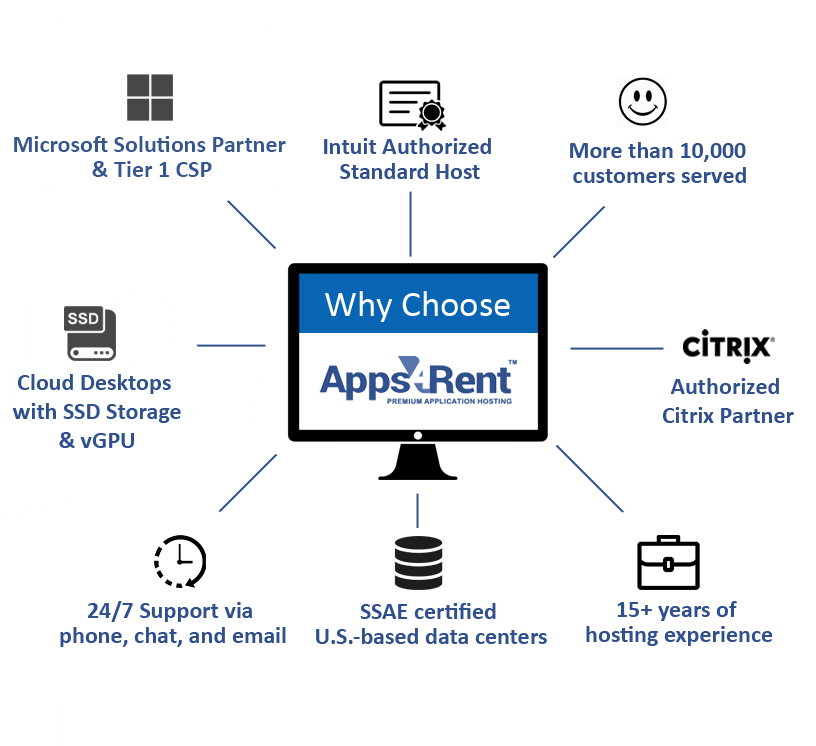
Apps4Rent brings over 18 years of experience in hosting business-critical applications across secure cloud environments. Our infrastructure is built to support data-intensive workloads, including GIS platforms like QGIS.

QGIS Cloud Hosting by Apps4Rent
  • Over 18 years of application hosting experience, supporting businesses across more than 90 countries. As a Microsoft Solutions Partner with competencies across Modern Work, Security, Azure Infrastructure, Digital & App Innovation, and Data & AI.
  • QGIS runs on high-performance, SSD-based cloud systems, ensuring faster data processing, smoother rendering, and improved responsiveness compared to local machines.
  • We support organizations of all sizes, from individual analysts to large GIS teams, delivering tailored environments aligned with their workflows.
  • Hosted environments support secure multi-user access with options for Microsoft 365 integration, multi-factor authentication, and automated backups.
  • With deep expertise in virtual desktops and application hosting, we understand the performance and security requirements of modern GIS workflows.
  • 24/7 support via chat, phone, and email ensures assistance is always available when needed.

Frequently Asked Questions (FAQs)

1. How does QGIS cloud hosting improve performance?

QGIS cloud hosting provides dedicated compute resources that enable faster processing of large geospatial datasets and smoother rendering of complex maps. This minimizes lag and ensures consistent performance, even when working with high-resolution imagery or multi-layer projects.

2. Can teams collaborate using QGIS in the cloud?

Yes. Teams can access shared datasets and projects in a centralized environment, ensuring consistency and reducing version conflicts. This allows multiple users to collaborate efficiently while maintaining controlled access and up-to-date spatial data.

3. Is QGIS cloud hosting suitable for large datasets?

Yes. Apps4Rent cloud desktops are designed to handle large raster files, vector layers, and complex spatial datasets efficiently. This helps reduce processing delays and allows users to perform analysis and visualization tasks without interruptions.

4. Can I customize my QGIS setup in the cloud?

Yes. You can install plugins, configure extensions, and integrate additional tools like PostGIS and Python libraries to match your workflow. This flexibility allows you to maintain your preferred GIS setup while leveraging cloud performance.

5. How secure is geospatial data in a hosted QGIS environment?

Your data is protected with encryption, role-based access controls, and automated backups stored in secure, compliant data centers. Additional safeguards ensure your spatial data remains protected, accessible, and resilient against data loss or unauthorized access.

Get Started with QGIS Cloud Hosting