SOLIDWORKS Cloud Hosting by Apps4Rent

GPU-Powered Cloud Workstations for Design, Simulation & Engineering

SOLIDWORKS is Dassault Systèmes' industry-leading 3D CAD solution. It's the go-to choice for mechanical designers, product engineers, and manufacturing professionals who require robust part modeling, assembly design, and technical drawing capabilities. Basic CAD software can't deliver these specialized features. SOLIDWORKS' advanced functionality demands equally powerful hardware infrastructure.

Apps4Rent delivers hosted SOLIDWORKS through a high-performance cloud platform engineered to meet these requirements. You get dedicated computing power, comprehensive data protection, and 24/7 expert assistance. Everything is accessible through the device you're already using. Simply bring your license and we handle the infrastructure.

  • Dedicated vCPU & RAM
  • Enterprise-Grade Security
  • 99.9% Uptime Guarantee
  • SSD Storage & 15-Day Backup

$99/month

View SOLIDWORKS Plans

SOLIDWORKS Cloud Hosting: Key Advantages


Performance Without Constraints

Hosted SOLIDWORKS runs on dedicated high-performance servers, maintaining stability and speed no matter how demanding your projects become.

Real-Time Coordination

Collaborate on shared SOLIDWORKS files across locations without file versioning issues. Centralized access enables seamless teamwork.

Secure Design Files

Apps4Rent protects your SOLIDWORKS cloud environment with encrypted storage, multi-factor authentication, and automated backups in SSAE 16-certified facilities.

Flexible Resource Scaling

Adjust your hosted SOLIDWORKS resources in real time by scaling CPU, RAM, and storage capacity to align with project demands without hardware procurement.


Apps4Rent SOLIDWORKS Hosting: Core Features


Dedicated Environment

Your SOLIDWORKS instance operates in an isolated virtual workspace with reserved compute capacity, guaranteeing reliable performance.

Host Complementary Software

Configure the hosting platform to accommodate your complete software ecosystem. Deploy CATIA, QuickBooks, or additional tools within the same hosted workspace.

Full Administrative Access

Add extensions, adjust configurations, and control user access just as you would on a physical workstation. Your SOLIDWORKS cloud hosting environment is entirely customizable.

Device-Agnostic Access

Connect to your hosted SOLIDWORKS session from Windows, macOS, or any platform from any location, without compatibility issues or local software installation.


Apps4Rent Hosted SOLIDWORKS: Infrastructure & Reliability


99.9% Uptime Guarantee

Your SOLIDWORKS hosting environment remains accessible with industry-standard 99.9% uptime SLA.

15-Day Backup Included

Automated daily backups for 15 days protect CAD files, assembly data, and system settings without requiring action.

Built-In Security Stack

Enterprise-level firewall protection and Windows Defender safeguard intellectual property from cyber threats.

Top-Tier Data Centers

SSAE 16-certified data centers in New York and New Jersey meet redundancy and security requirements for regulated sectors.

SOLIDWORKS Cloud Hosting

Centralized SOLIDWORKS Hosting for Engineering Teams

SOLIDWORKS cloud hosting consolidates project files, user access, and computing resources into a single managed platform. This platform is specifically designed for the workflows that design professionals execute daily.

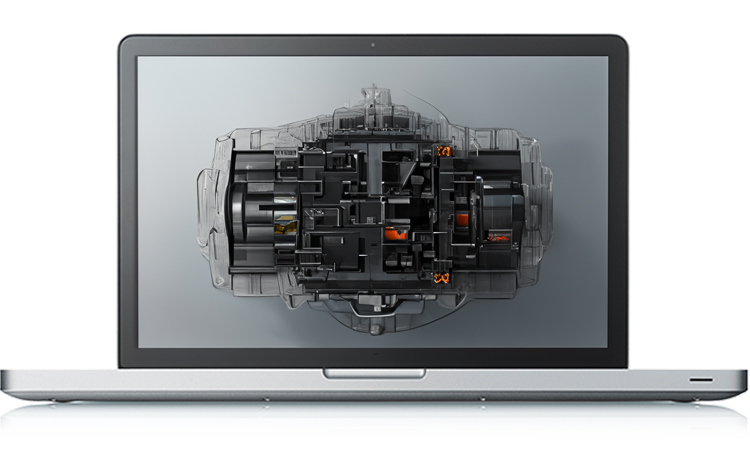
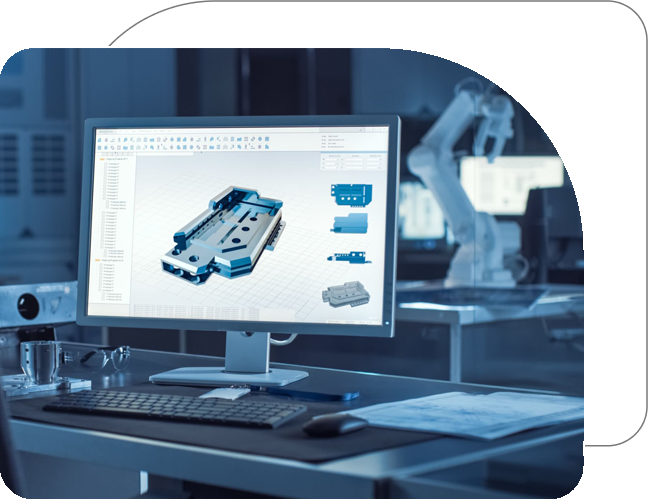
Apps4Rent managed SOLIDWORKS hosting provides GPU-optimized virtual workstations. These workstations are configured for professional-grade modeling, analysis, and rendering tasks. Teams access a uniform hosted SOLIDWORKS environment, flexible resources, and the permission controls that sophisticated projects demand.

  • Access from Anywhere: Launch your hosted SOLIDWORKS workstation securely from any device or geographic location. No dedicated on-premise equipment needed.
  • Synchronized Team Access: Provide engineering teams with shared access to live project files. This method prevents version confusion and ensures everyone references identical data.
  • Faster, Centralized Workflows: Execute modeling, validation, and rendering operations on a high-performance SOLIDWORKS cloud workstation with GPU acceleration.

GPU Optimized Cloud Desktops for Demanding SOLIDWORKS Workloads

Complex assemblies, detailed part geometries, and rendering-intensive tasks rapidly reveal the constraints of traditional workstations. This challenge intensifies when teams operate remotely or divide hardware resources. Lag, sluggish graphics updates, and session crashes interrupt the precise, detail-oriented work that SOLIDWORKS demands.

Apps4Rent GPU-optimized cloud desktops are engineered to run hosted SOLIDWORKS efficiently at any scale. Designers can manipulate, section, and inspect large assemblies without slowdowns. This capability eliminates issues stemming from inadequate or overburdened local hardware and removes the expense of repeatedly upgrading physical equipment.

You can deploy your entire design software suite alongside SOLIDWORKS in a single secure cloud workspace. Compatible applications include PDM, Simulation, Composer, Visualize, AutoCAD, Autodesk Inventor, Revit, and additional tools.

GPU-Enabled Workstations for SOLIDWORKS

Trusted by Over 10,000 Businesses across 90+ Countries

Get SOLIDWORKS Running in the Cloud in 3 Steps


STEP 1

Pick Your Plan

Choose based on your team size and project complexity—our team will guide you.

STEP 2

Set Up Your Users

During registration, specify how many users require access. We'll configure the platform
to match.

STEP 3

Install and Go

After your virtual workstation is ready, install SOLIDWORKS and start designing.

SOLIDWORKS Cloud Desktop Hosting Plans

SOLIDWORKS
Basic

$99/month*

Save 10% on Annual Payments

  • 100 GB SSD Disk
  • Dedicated 16 GB RAM
    and 4 vCPU
  • 4 GB vGPU
  • Windows Server 2022
  • 15 Days Backup Included

SOLIDWORKS
Standard

$149/month*

Save 10% on Annual Payments

  • 100 GB SSD Disk
  • Dedicated 55 GB RAM
    and 6 vCPU
  • 4 GB vGPU
  • Windows Server 2022
  • 15 Days Backup Included
Most Popular

SOLIDWORKS
Power

$279/month*

Save 10% on Annual Payments

  • 100 GB SSD Disk
  • Dedicated 110 GB RAM
    and 12 vCPU
  • 8 GB vGPU
  • Windows Server 2022
  • 15 Days Backup Included

SOLIDWORKS
Architect

$479/month*

Save 10% on Annual Payments

  • 100 GB SSD Disk
  • Dedicated 220 GB RAM
    and 18 vCPU
  • 12 GB vGPU
  • Windows Server 2022
  • 15 Days Backup Included

Note: All plans (excluding SOLIDWORKS Basic) include standard access during a 9-hour window, five days a week. For extended availability, please contact our sales team. *10% discount for annual payment.

Who Uses SOLIDWORKS Cloud Hosting?

Product Design Firms

Develop intricate components and conduct motion studies without dependency on specific hardware or office locations.

Manufacturing & Industrial Equipment Teams

Maintain distributed teams collaborating on shared assemblies with reliable performance and no file synchronization delays.

Consumer Goods & Packaging

Test design iterations and validate manufacturing feasibility using flexible cloud computing aligned with project scope.

Educational Institutions & Training Centers

Provide students and instructors access to professional SOLIDWORKS hosting environments without investing in specialized hardware laboratories.

Which SOLIDWORKS Cloud Hosting Plan is Right for You?

Case Study

Case Study

Global Engineering Firm Accelerates Design Cycles with SOLIDWORKS Cloud Hosting

A global engineering firm centralized SOLIDWORKS on GPU-powered cloud workstations, enabling real-time collaboration and cutting design review time by 40%.

Read More

SOLIDWORKS Cloud Hosting Features by Apps4Rent

  • Key Advantages

    • Boundless Performance
    • Real-Time Coordination
    • Secure Design Files
    • Flexible Scaling
    • 99.9% Uptime
    • 15-Day Backup Included
    • Cross-Device Access
    • Built-In Security
  • Core Features

    • Dedicated Environment
    • Host Complementary Software
    • Complete Access
    • Device-Agnostic Access
    • 24/7 Expert Support
    • SSD Cloud Infrastructure

Why Host SOLIDWORKS with Apps4Rent?

SOLIDWORKS Cloud Hosting by Apps4Rent
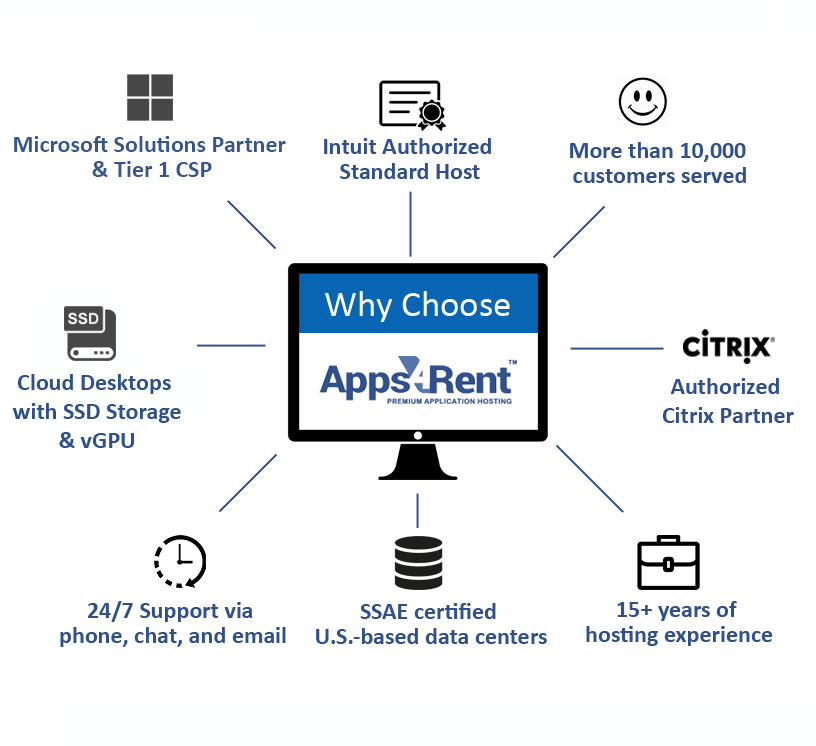
  • Apps4Rent delivers over 18 years of cloud hosting expertise to every SOLIDWORKS deployment, supporting thousands of organizations spanning more than 90 countries.
  • As a certified Microsoft Solutions Partner, along with being an authorized Citrix and Azure Partner, our platform is designed for the computational and graphical requirements that professional SOLIDWORKS hosting demands.
  • We run hosted SOLIDWORKS on SSD-powered cloud infrastructure, providing accelerated loading, minimized session lag, and enhanced responsiveness when manipulating large assemblies.
  • We've assisted over 10,000 companies across sectors — from independent design consultancies to Fortune 500 manufacturers and government departments.
  • Our SOLIDWORKS cloud hosting environments enable secure multi-user connectivity from PC, Mac, and mobile platforms, with capabilities for Microsoft 365 integration, MFA, and remote backup.
  • With over 18 years in application hosting — covering design software, business applications, and virtual desktop infrastructure — we know what enterprise-grade hosting entails.
  • 24/7 support via phone, chat, and email comes standard with all hosted SOLIDWORKS plans. When issues arise, we're immediately reachable.

Frequently Asked Questions (FAQs)

1. Does Apps4Rent support bring-your-own-license for SOLIDWORKS?

Yes. Apps4Rent follows a BYOL approach for SOLIDWORKS hosting. Supply your license information during setup and we'll install and configure SOLIDWORKS in your cloud environment.

2. What devices can I use to access hosted SOLIDWORKS?

Any internet-connected device — Windows computers, Macs, laptops, or tablets. Local SOLIDWORKS installation isn't required on the device you're accessing from.

3. How does SOLIDWORKS cloud hosting handle large assemblies and complex simulations?

Your cloud environment receives dedicated vCPU and RAM allocation, with optional GPU enhancements available for visualization-heavy operations. Large assemblies and simulation tasks run smoothly on cloud infrastructure that doesn't share resources with other users.

4. What happens to my session if I lose internet connectivity?

Your session remains active server-side for a period following disconnection. Reconnection resumes from where you stopped. Combined with SOLIDWORKS' autosave features, the likelihood of data loss is extremely low.

5. Can I install SOLIDWORKS add-ins and third-party plugins in my hosted environment?

Yes. You maintain full administrative privileges over your virtual workstation, so adding toolbars, macros, or third-party connections functions identically to a managed physical machine.

6. How is my design data protected?

Your SOLIDWORKS files reside in SSAE 16-compliant data centers with encryption during storage and transmission, multi-factor authentication for access, and automated daily backups with version restoration capability.

7. Can other software run alongside SOLIDWORKS on the same hosted desktop?

Yes. Your virtual workstation can accommodate additional software your team relies on — CATIA, PDM tools, ERP platforms, or business applications — without performance impact from running multiple programs.

8. How quickly can I get a hosted SOLIDWORKS environment up and running?

After completing registration and submitting your license information, your environment can be deployed quickly. Our setup team manages configuration and remains available 24/7 if any technical assistance is required.

James, Lead Mechanical Engineer, Detroit, Michigan

"Running SOLIDWORKS on Apps4Rent's cloud workstation transformed how our engineering team collaborates. We eliminated local hardware refresh cycles entirely, and our designers can now access large assemblies and simulations from anywhere. The GPU performance has been rock-solid since day one."

Priya, CAD Manager, San Jose, California

"The migration to Apps4Rent's SOLIDWORKS cloud hosting was seamless. Our team of 12 now works on the same design data simultaneously with zero version conflicts. Support has been excellent — any issue gets resolved within minutes, not hours."

What Our Customers Say

  • 12 January 2025
    "SOLIDWORKS cloud hosting from Apps4Rent gave our engineers full GPU performance from their laptops. The setup was fast and support has been exceptional."
    Thomas, Lead Engineer, Munich
  • 3 March 2025
    "We cut our hardware costs by 60% moving SOLIDWORKS to Apps4Rent. The vGPU performance handles our largest 3D models without any lag."
    Aisha, BIM Director, Houston

Get Started with SOLIDWORKS Cloud Hosting