 USA 1-866-716-2040
 Live Chat
Fusion 360 Cloud Hosting by Apps4Rent
Cloud Workstations for Fusion 360 Workflows
Autodesk Fusion 360 is a powerful cloud-based CAD, CAM, and CAE platform used by engineers, product designers, and manufacturers for 3D modeling, simulation, rendering, and CNC workflows. While Fusion 360 is inherently cloud-connected, complex models, rendering tasks, and simulation workloads can still be limited by local hardware performance.
Apps4Rent hosts Fusion 360 on high-performance cloud desktops built to handle demanding design and engineering tasks. You get consistent speed, GPU-enabled processing, and secure remote access, all delivered through a fully managed environment. Continue using your existing Fusion 360 setup while we handle infrastructure, performance, and uptime.
$99/month
View Fusion 360 PlansCore Benefits of Fusion 360 Cloud Hosting
High Performance
Run Fusion 360 on dedicated cloud resources with GPU support to handle modeling, rendering, and simulation tasks without slowdowns.
Real-Time Collaboration
Enable distributed teams to work on shared designs with centralized file access and consistent project data.
Secure Environment
Protect your intellectual property with encryption, access controls, and automated backups.
On-Demand Scalability
Scale CPU, RAM, and GPU resources as project complexity increases without upgrading local machines.
Fusion 360 Hosting: Features & Capabilities
Dedicated Workspaces
Each user operates in an isolated cloud desktop environment with complete control over files, applications, and sessions.
Multi-Software Compatibility
Run additional tools such as AutoCAD, Revit, SolidWorks alternatives, rendering engines, and office applications alongside Fusion 360.
Custom Configuration
Install plugins, manage updates, and tailor your Fusion 360 workspace to match your workflow requirements.
Cross-Device Accessibility
Access your hosted environment from Windows, macOS, Linux, or thin clients without local installations.
Infrastructure & Security: Enterprise-Grade Reliability
99.9% Uptime Guarantee
Ensure uninterrupted access to your Fusion 360 environment backed by a reliable SLA.
15-Day Backup
Automated daily backups safeguard your design files, toolpaths, and project configurations.
Advanced Security
Built-in firewall protection, antivirus systems, and multi-factor authentication secure your environment.
Enterprise Data Centers
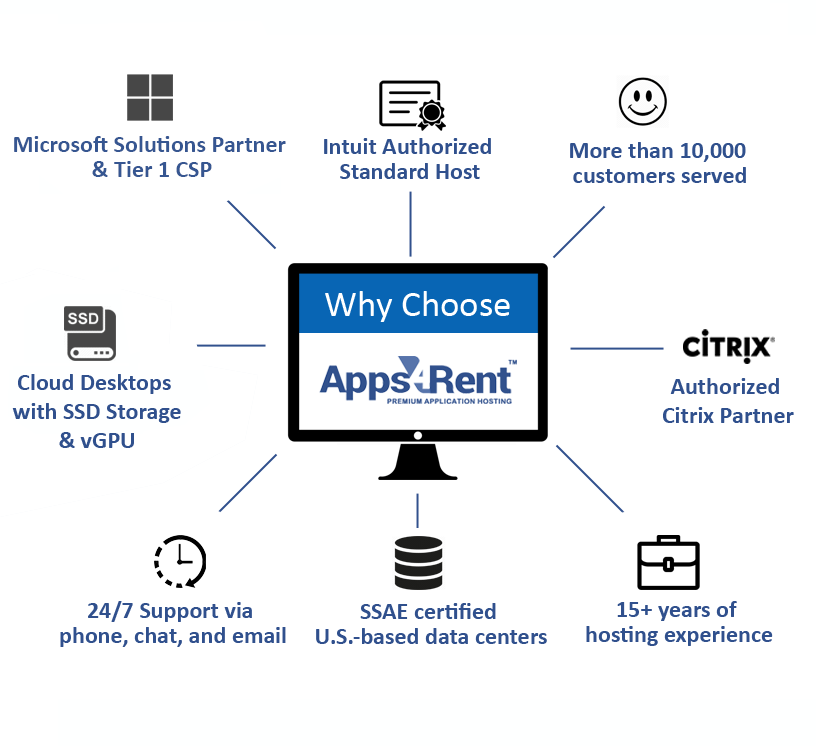
Hosted in SSAE 16-compliant facilities designed for redundancy, resilience, and data protection.

Fusion 360 Cloud Hosting for Product Development Teams
Hosting Fusion 360 in the cloud centralizes your entire design and manufacturing workflow into a single, high-performance platform. Teams can collaborate, simulate, and iterate faster without being constrained by local hardware limitations.
Apps4Rent delivers managed Fusion 360 hosting environments optimized for 3D modeling, generative design, simulation, and CAM operations. This ensures consistent performance, centralized storage, and controlled access across teams.
- Work from Anywhere: Access Fusion 360 securely from any location without relying on a physical workstation.
- Unified Project Access: Keep all design files centralized so teams work on the latest versions without duplication or conflicts.
- Streamlined Workflows: Execute modeling, simulation, rendering, and manufacturing processes within a single cloud environment.
Optimized Cloud Desktops for Demanding Fusion 360 Workloads
Large assemblies, high-resolution rendering, and simulation tasks can quickly overwhelm local systems. Performance bottlenecks lead to delays, especially when teams use different hardware configurations or work remotely.
Apps4Rent cloud desktops are optimized for Fusion 360 workloads, including GPU-intensive operations. Designers and engineers can work on complex assemblies, run simulations, and generate toolpaths without lag or interruptions.
Run your complete engineering stack alongside Fusion 360 in a unified workspace. Supported tools include AutoCAD, Revit, Inventor, Blender, MATLAB, CAM software, and other design or analysis applications.












Get Fusion 360 Running in the Cloud in 3 Steps
STEP 1
Select a configuration based on your performance and team requirements.
STEP 2
We configure your cloud desktop, install Fusion 360 if needed, and set up secure
user access.
STEP 3
Log in from any device and start working on your Fusion 360 projects instantly.