 USA 1-866-716-2040
 Live Chat
Microsoft Project Server Subscription Edition
A Flexible, Scalable Solution for PPM and Everyday Projects
Microsoft Project Server Subscription Edition delivers powerful on-premises project portfolio management (PPM) and daily project handling. Get started fast, prioritize projects/resources, and work from virtually anywhere on any device. Align strategy, select top portfolios, and execute flawlessly.
$20.95/user
Pricing PlansCore Features
Instant Collaboration
Leverage SharePoint social tools to strengthen teamwork with instant messaging, team sites, and full visibility across projects.
Data-Driven Decisions
Equip stakeholders with powerful business intelligence to make informed decisions on risks, issues, and governance control.
Simplified IT Administration
Scale effortlessly using the integrated SharePoint admin console with Active Directory support and PowerShell automation.
Easy Governance
Create no-code workflows in Visio to standardize project progression and ensure compliance across portfolios.
The Perfect Project Online Alternative
Future-Proof Your PPM
With Project Online reaching end of life, Project Server SE stands out as a top enterprise-grade alternative for PMOs.
Seamless Migration Path
Migrate portfolios, PWA features, and BI reporting seamlessly with Apps4Rent managing the entire transition.
Everything Project Online Offered
Get portfolio prioritization, resource optimization, governance workflows, and advanced analytics with full control.
No Compromise on Features
Retain SharePoint integration, custom workflows, CAL access, and enterprise reporting users already rely on.
Integration & Extensibility
Microsoft 365 Ready
Install apps from the SharePoint Store and extend functionality with custom line-of-business integrations.
Seamless SharePoint Integration
Runs as a service application under SharePoint SE, enabling social features and enterprise collaboration.
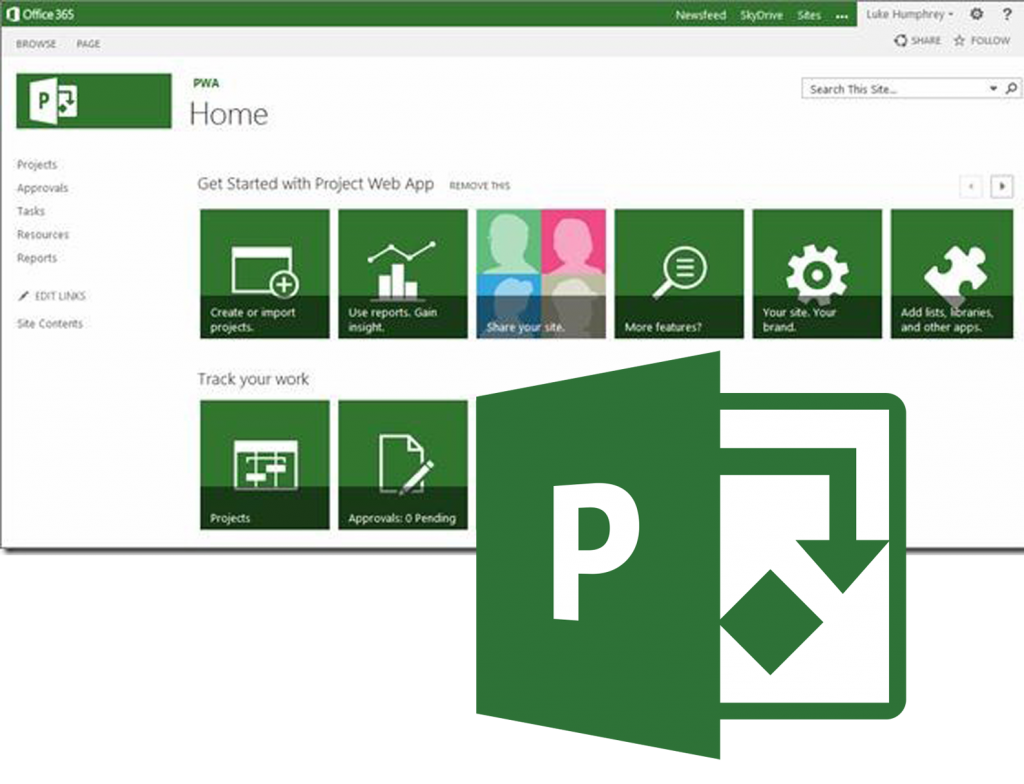
PWA Client Access
Access Project Web App securely from anywhere using Project Professional 2019 or CAL-based licensing.
Custom Workflows
Build tailored PPM processes using PowerShell scripting and Visio automation—no coding required.









How to get Started with Project Server Subscription Edition?
STEP 1
Choose Bronze, Silver, Gold, or Platinum based on your PMO size and project volume.
STEP 2
Request Project CALs and SharePoint licenses during setup.
STEP 3
Once your server is ready, activate PWA and migrate your project portfolios.

 Migration Assistance