Microsoft Project Server Migration Services

Migrations provided by MS Project Server Experts since 2007

Project Server migration has become essential for organizations running legacy on-premises deployments like Project Server 2013, 2016, 2019, or PWA sites. As businesses outgrow outdated infrastructure and face shifting Microsoft support timelines, upgrading to modern Project Server versions, hosted solutions, or cloud alternatives delivers enhanced project portfolio management (PPM), improved scalability, and alignment with current business priorities.

This urgency intensifies with Project Online retirement approaching on September 30, 2026. The Project Online EOL forces thousands of organizations to rethink their PPM strategy, as Microsoft sunsets this SaaS solution and directs customers toward Project Server Subscription Edition (SE) or other platforms. Apps4Rent's Microsoft-certified engineers specialize in these complex Project Server migrations, leveraging proven techniques and 24/7 phone, chat, and email support to ensure seamless transitions during this critical industry shift.

Why Upgrade Microsoft Project Server?


Continued Microsoft Support

Most Microsoft on-premises solutions, including Project Server, follow a 10-year support lifecycle. Upgrading to newer Project Server versions or modern cloud alternatives ensures continued access to Microsoft's technical support and security updates.

Updated Project Features

With every new release, Microsoft adds updates to Project Server while depreciating legacy redundant features. Businesses should upgrade to the latest Project Server Subscription Edition (SE) or modern hosted solutions for ongoing support.

Bug And Security
Fixes

Unlike Project Online, Microsoft provides security and performance updates for Project Server in releases. Many of these vulnerabilities will be left unresolved if enterprises do not upgrade the existing Project software installation.

Business Requirement Alignment

With newer technologies, existing projects, data, and workflows must be modified to cater to changing business requirements. Legacy on-premises Project Server can have compatibility issues, that can be solved by migrating or upgrading.


Why Microsoft Project Server Hosting?


Improved Service Availability

Migrating Project Server to the cloud ensures better availability of the software. It does not rely on the computing resources of local devices and is installed in servers in data centers with backups, ensuring that it is always available.

Predictable Operational Costs

Hosting Microsoft Project in the cloud ensures that the operational expenses are predictable for maintaining the solution. This is useful for individuals and businesses that do not have adequate infrastructure or computing resources.

Enables Online
Access

While on-premises Project versions offer hybrid options, full cloud migration can be challenging. Apps4Rent’s Microsoft Project Server hosting solution modernizes access for older versions.

Scalable Computing Resources

Project Server is a highly scalable project portfolio management solution. It is only limited by the physical infrastructure restrictions. Project Server cloud hosting provides scalable computing resources to overcome these challenges.


Why Apps4Rent MS Project Server Migration and Hosting?


Proven Migration Expertise

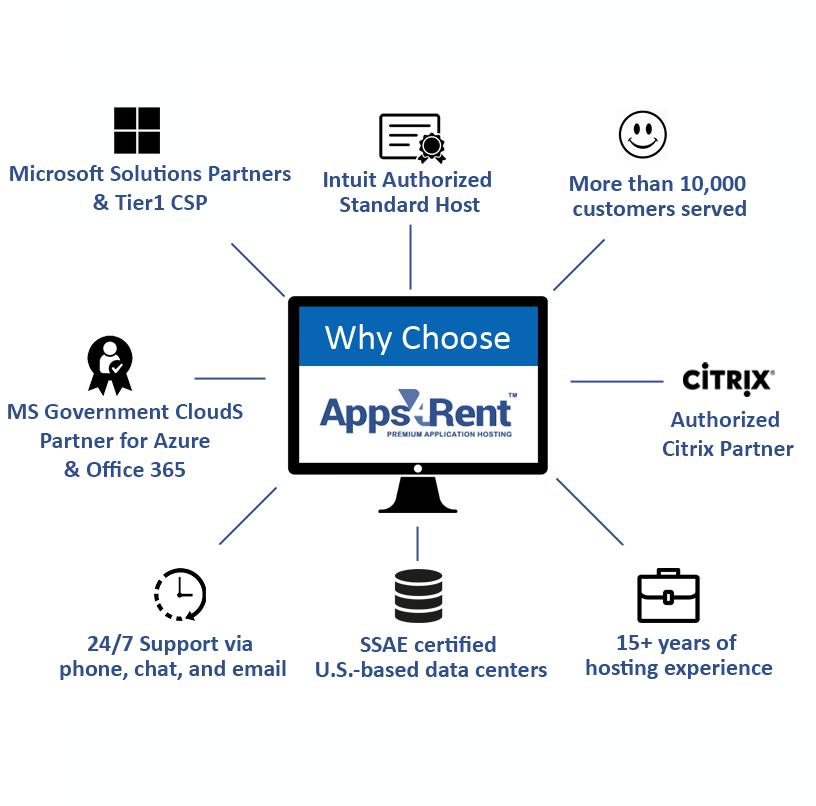
Apps4Rent has developed deep expertise in its two decades of operations in hosting and migrating Microsoft solutions such as Exchange and SharePoint, which includes Project Server. We have a presence in 90+ countries and over 10,000 businesses.

24/7 Technical Support

Apps4Rent offers fully managed Project Server migrations from on-premises solutions, Project Online (pre-EOL), and legacy PPM systems. Our migration services are backed by 24/7 phone, chat, and email support during and after the transition.

Trusted Microsoft Partner

Apps4Rent is a Microsoft Solutions Partner and is trusted for providing cloud solutions for businesses. Our competencies include Modern Work, Security, Data & AI Azure, Digital & App Innovation Azure, and Infrastructure Azure.

Multiple Upgrade Paths

The upgrade path for the Microsoft Project server depends on the existing solution and the version to which users have to be migrated. In addition to migrating Project Online to Project server, Apps4Rent offers Project Server hosting solutions for simpler migration.

An Affordable Solution – Project Lite Combined With Project Online

A paper products company was looking to migrate to a cloud-based project management solution that would be used by all project participants, but at a lower per user cost compared to Project Server. Find out what solution Apps4Rent provided them.

Read More

Serving Over 10,000 Businesses in More Than 90 Countries

Project Server Migration Steps

  • Planning

    Prepare a step-by-step roadmap for Project Server migration

  • Analysis

    Analyzing all the complexities of Project Server migration

  • Setup

    Identifying granular content as per your project requirements

  • Staging

    Creating and testing the changes of your contents of the projects

  • Pilot migration

    Assessing environment, checking security matrix, validating structures and workflows

  • Production migration

    Moving data from the old Project Server environment to new environment

  • Post-migration review

    Reviewing that everything is working as required in new environment


Project Server Plans

Project Server Bronze

$395/month
  • 12 GB RAM and 4 vCPUs
  • 120 GB storage
  • Project CAL @ $20.95/user/mo.
  • 1 free SSL
  • Daily backup
Most Popular

Project Server Silver

$645/month
  • 16 GB RAM and 4 vCPUs
  • 200 GB storage
  • Project CAL @ $20.95/user/mo.
  • 1 free SSL
  • Daily backup

Project Server Gold

$865/month
  • 20 GB RAM and 8 vCPUs
  • 250 GB storage
  • Project CAL @ $20.95/user/mo.
  • 1 free SSL
  • Daily backup

Project Server Platinum

$1095/month
  • 24 GB RAM and 8 vCPUs
  • 500 GB storage
  • Project CAL @ $20.95/user/mo.
  • 1 free SSL
  • Daily backup

Why Choose Apps4Rent for Microsoft Project Server Migration?

  • Apps4Rent has a strong team of Microsoft certified consultants with deep expertise in migrating Microsoft PPM systems.
  • We use proven techniques and tools to implement novel migration approaches to maintain data quality and minimize downtimes.
  • In addition to helping businesses migrate and upgrade their Project Server, Apps4Rent can also host the solution on its top tier SSAE 16 certified data centers, or Azure.
  • Apps4Rent Hosted Project Server plan, which is comparable with Project Plan 5, is tailored for small and medium businesses.
  • As a Tier 1 Microsoft CSP, Apps4Rent can provide licenses and customize Office 365/ Microsoft 365 plans with Project Online and help with white-gloved services to migrate from the existing legacy solutions to the cloud-native productivity suite.
  • We provide 24/7 phone, chat, and email support for Project Server hosting and technical assistance for our customers as a part of our SLA, which is more extensive than the direct support from Microsoft.

Frequently Asked Questions (FAQs):

1. What is the right Project Management plan for me?

Microsoft offers three core Project plans: Plan 1, Plan 3, and Plan 5.

Apps4Rent Hosted Project Server delivers Plan 5–level PPM capabilities at a lower cost per user, with full customization and 24/7 expert support. Certain Microsoft 365 plans also include Microsoft Planner for lighter task and team-based project management needs.

2. What are Microsoft’s current Project options post-Project Online retirement?

3. What Project Server editions and hosting options do we offer?

Apps4Rent supports all major Project Server versions including Project Server SE (Subscription Edition), 2021, 2019, 2016, 2013, and legacy Project Web App (PWA) sites.

Deployment Options:

Please contact our sales team for legacy versions (earlier than Project Server 2016) or for custom deployment requirements.

4. Why migrate from Microsoft’s on-premises PPM solutions to Microsoft cloud-based project management solutions?

Microsoft cloud-based project management solutions offers the following advantages over on-premises PPM solutions.

5. What are the advantages of migrating to Apps4Rent Hosted Project Server from on-premises or Project Online?

Here are the advantages of migrating to Apps4Rent Hosted Project Server from an existing on-premises Microsoft Project Server or Project Online plan.

Unlike the on-premises solution, Apps4Rent Hosted Project Server plan is a fully managed solution which simplifies administration, enhances productivity, and reduces operational expenses.

6. Our Project Server migration is complex. Can Apps4Rent help?

Yes, Our Project Server experts will analyze your project and offer insights to migrate your projects successfully. If you want to discuss how to take your complex migrations forward, feel free to talk to our Microsoft-certified Project Server experts now.

7. Will there be downtimes in workflow while migration in the process?

No, There will be no downtimes or any data loss while Project Server migration is in the process. You sign up for the plan, and we'll take care of everything. During the migration process, your business operations won't be affected while migration happens in the background. Once migration is done, you can leverage all the benefits of your new environment.

8. How does the process of migration work?

We have a well-defined process that includes account synchronization and test migration of representative users, which helps identify obstacles and provide for resolution time. Such hands-on measures help us adhere to a clearly defined schedule for complete migration without any glitches.

9. How does Apps4Rent instill confidence that they are the project migration experts I need?

The most common reason business does not get started is due to the fear that migration is a challenging task, and may result in problems. At Apps4Rent, we take care that Project Server migrations are a smooth and seamless process with a methodical structure and well-defined process. We act as your expert IT partner while doing the migration, onboarding, and deployment. We maintain clear and regular communication to keep you informed of every stage of the transition and progress being made. Our objective is to make your transition to any version of Project Server stable, predictable, and comfortable to use.

10. What is the post-migration support that I will get?

As a leading online project management consultant, we offer you the best possible Project Server migration experience. Our end-to-end services do not stop at migration as we extend our assistance to ensure maximum user comfort and productivity with Project Server.

11. Can we upgrade our old Project Server versions to the latest solutions?

Yes, direct upgrades to Project Server SE (Subscription Edition) aren't possible from older versions. Apps4Rent handles all migration paths—from legacy 2013/2016/2019 to SE, hosted modernizations, or other PPM platforms—eliminating stepwise upgrade complexity.

12. I want to upgrade my Project Server. But I don't need my entire data or projects in the new environment. Is this possible?

Yes, If you are looking to upgrade Microsoft Project Server to a newer version or just migrate to a new PWA, but you don’t need all your data or projects in your new environment, you can opt for our custom migration services. Contact our support team if you have any special requirements.

13. Do I get 24/7 support?

Yes, Apps4Rent offers round-the-clock 365-day Support by Microsoft-certified Project Server experts. From helping you install printer drivers or various other devices on these desktops to designing the right solution for your collaboration requirements, our support team will do it all.

14. Is my data safe with Apps4Rent?

Yes, We are very serious about the data security of our customers. We have secure firewalls that keep your crucial data 100% safe. We also abide by the GDPR policy. If your organization is very rigorous about data security, you can foolproof your security by backing up your data on Azure Backups.

15. Why should I choose Apps4Rent over other providers for Project Server migration?

We are a leading Project Server hosting and migration service provider in the business since 2003. Apart from having the lowest prices in the business, our Project Server experts are best in the business. We cover all kinds of Project Server migrations across all versions: Project Server 2007, Project Server 2010, Project Server 2013, Project Server 2016, Project Server 2019 and Project Online.

16. I wanted to go ahead with the Project Server migration with Apps4Rent. What do I do?

You can fill out the form describing your migration requirements. Start a live chat with one of our migration experts. Ask any questions you may have related to migration. Thank you for choosing Apps4Rent.

Liam, Project Manager, Detroit, Michigan

"Our internal team messed it up when we tried doing migrations on our own. The Apps4rent team effortlessly cleaned our botched up migration. They retrieved our data back and put our projects back in their place. We have hired Apps4Rent's services for our Project Server implementation."

Isabella, Business Owner, Worcester, Massachusetts

"We were reluctant of migration because we feared our data might go corrupt. However, the migration from Project Server 2016 to Project Online went well. The transition manager at Apps4Rent made sure that all our content was carefully handled. We surely recommend Apps4Rent."

Recent Feedback

  • 31 March 2020
    "Great technical support - professional attitude and service"
    H.J.M. Lemmen - Supplier, Manufacturing Company in Stateline, Nevada
  • 28 March 2020
    "Very helpful and fast. David is an awesome supporter and knows his stuff. Always ready to help and a true professional."
    Ahmed - Farmers Insurance Agent in Pearland, Texas
  • 27 March 2020
    "Very professional and provide me the help in very quick time"
    Felix - Interior Designer, Minneapolis, Minnesota, Ramsey Engler Ltd.
  • 26 March 2020
    "I always get the most excellence service from them no matter if it's in the middle of the day or 3 am in the morning"
    Anna - Chief Executive, Fencing and Railing Company in Youngwood, Pennsylvania
  • 25 March 2020
    "Wade was extremely helpful over a very difficult weekend of being shut off from a different hosting provider"
    Jeremy - CPA and Business Owner, Accounting Company in Dallas, Texas
  • 24 March 2020
    "The gentleman that helped me was excellent. I think I would have been beyond frustrated without his help. Thank you for making this painless"
    Scott - Accountant, Topeka, Kansas
  • 23 March 2020
    "Received great help from everyone involved in setting up our cloud service. Thanks!"
    Roger - Supplier, Manufacturing Company in Stateline, Nevada
  • 22 March 2020
    "Good support. Followed up issue on VPN connection in an hour. Great service!"
    Varkey - CPA in Allen, Texas
  • 21 March 2020
    "This conversion to Apps4Rent that we made a few years ago has proven to be a very positive experience"
    Ron - Senior Coordinator, Water Damage Restoration Service in Jerome, Idaho
  • 20 March 2020
    "Give Jim a huge bonus and a raise! I owe him a cold beer. Great help. Thank you!"
    Wayne - IT Project Manager, Tech Setup in Washington D.C
  • 18 March 2020
    "Timely, complete, and friendly service getting Excel loaded onto our QB virtual desktop. Great QuickBooks Enterprise hosting service by the team!"
    Joel, Accounts Manager in Columbia, Maryland
  • 16 March 2020
    "Charles was great! Helped me understand exactly what services I have with Apps4Rent. So glad to have this company helping me with my IT needs."
    Sally - Farmers Insurance Agent in Pearland, Texas
  • 16 March 2020
    "Cathy was thorough and efficient. She checked different things to be sure all was working"
    Robin - Founder, Speech Therapy Company, Scottsdale, Arizona
  • 15 March 2020
    "Great Service. My issue was taken care of quickly, efficiently, and professionally. Thank you."
    John - Attorney, Law Firm in Norfolk, Virginia
  • 13 March 2020
    "The team is extremely capable, engaged, and helpful. Highly recommend Apps4Rent for their services."
    Steven - Interior Designer, Minneapolis, Minnesota, Ramsey Engler Ltd.

Submit Your Requirement