 USA 1-866-716-2040
 Live Chat
Shapr3D Cloud Hosting by Apps4Rent
High-Performance Cloud Workstations for 3D Modeling & Design
Shapr3D is a modern 3D modeling platform widely used by product designers, engineers, and manufacturing teams for precise CAD design and rapid prototyping. The application is known for its intuitive interface and device flexibility. However, handling complex models and collaborative workflows often requires more consistent computing power than local systems can provide.
Apps4Rent hosts Shapr3D Enterprise on high-performance cloud desktops built to support advanced design workflows. You gain access to dedicated resources, GPU-enabled performance, and secure remote connectivity within a fully managed environment. Continue working with your enterprise setup while we manage infrastructure, uptime, and performance. It is important to note that only the Shapr3D Enterprise plan supports hosting environments.
$99/month
View Shapr3D PlansCore Benefits of Shapr3D Cloud Hosting
High Performance
Run Shapr3D Enterprise on powerful cloud systems with GPU support to handle complex modeling tasks smoothly.
Real-Time Collaboration
Enable teams to work on shared designs with centralized access and consistent project data.
Secure Environment
Protect sensitive design files with encryption, controlled access, and automated backups.
On-Demand Scalability
Scale computing resources as project complexity grows without upgrading physical devices.
Shapr3D Hosting: Key Features
Dedicated Workspaces
Each user operates in a secure, isolated cloud desktop with full control over files and sessions.
Multi-Software Compatibility
Use additional design, rendering, and productivity tools alongside Shapr3D within the same environment.
Custom Configuration
Install enterprise plugins, manage updates, and configure your workspace to match your design workflows.
Cross-Device Accessibility
Access your hosted Shapr3D environment from Windows, macOS, iPad, or thin clients without local dependency.
Infrastructure, Security & Uptime
99.9% Uptime Guarantee
Ensure continuous access to your Shapr3D environment backed by a reliable SLA.
15-Day Backup Coverage
Automated backups protect your design files and project data from accidental loss.
Advanced Security Stack
Built-in firewalls, antivirus protection, and multi-factor authentication safeguard your environment.
Enterprise Data Centers
Hosted in compliant facilities designed for redundancy, resilience, and data protection.

Shapr3D Cloud Hosting for Design Teams
Hosting Shapr3D Enterprise in the cloud centralizes your design workflows into a single, high-performance environment. Teams can model, review, and iterate faster without being limited by device performance or location.
Apps4Rent delivers managed Shapr3D hosting environments optimized for precision modeling and collaborative design processes. This ensures consistent performance, centralized storage, and controlled access across teams.
- Work from Anywhere: Access your Shapr3D projects securely from office, home, or on-site locations.
- Unified Project Access: Keep all design files centralized so teams always work on the latest versions.
- Streamlined Workflows: Perform modeling, visualization, and revisions within a single cloud workspace.
Optimized Cloud Desktops for Shapr3D Workloads
Handling detailed 3D models and design revisions on local systems can lead to slowdowns and inconsistencies, especially in distributed teams. Performance differences across devices often impact productivity and collaboration.
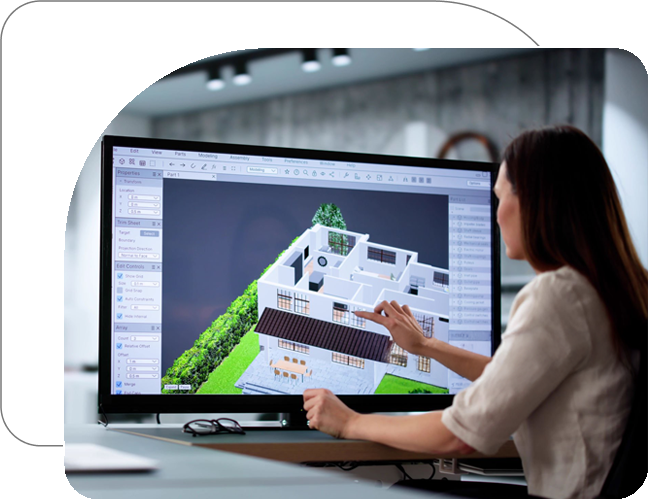
Apps4Rent cloud desktops are optimized for Shapr3D Enterprise workloads, including graphics-intensive modeling tasks. Designers can work on complex designs with consistent speed and responsiveness.
Run your full design ecosystem alongside Shapr3D in one environment, including CAD tools, rendering software, and productivity applications required for your workflow.











Get Shapr3D Running in the Cloud in 3 Steps
STEP 1
Select a configuration based on your performance needs and team size.
STEP 2
We set up your cloud desktop, configure Shapr3D Enterprise, and enable secure access.
STEP 3
Log in from any device and start working on your projects instantly.